Spreadsheet Builder
Builds Excel spreadsheets with working formulas, or cleans up the ones you have
by Anthropic


by RICHQAQAppMake visuals
Pastes AI chat answers into Word, WPS or Excel with formulas and tables intact
You copy a formula from ChatGPT into your report and Word shows a row of dollar signs and backslashes instead.
For Students writing papersOffice workers writing reportsWPS and Word users
PasteMD is a small tray app for Windows and macOS that fixes what happens when you copy an AI answer into an office document. Copy a reply from ChatGPT, DeepSeek, Claude or another chat site, press one hotkey, and it converts the text and inserts it at your cursor in Word or WPS, with headings, lists and math formulas kept. Markdown tables go straight into Excel as real cells. It suits students and office workers who move AI answers into reports, papers and spreadsheets.
It turns the formulas and tables that usually arrive as broken symbols into real Word equations and Excel cells with one key press.
Start with the first one: it is a small task you can check easily.
Example prompts written by Agent Flows Hub.
From the creator's documentation.
| Feature | What it does | Runs |
|---|---|---|
| Word and WPS paste | Converts copied Markdown or web text and inserts it at the cursor | Your computer |
| Excel tables | Detects Markdown tables and pastes them into Excel as cells | Your computer |
| Formulas | Turns LaTeX math into Word equations and fixes some common formula syntax | Your computer |
| Per-app modes | Choose HTML, Markdown, LaTeX or file paste for other apps by window title | Your computer |
| macOS permissions | Needs Accessibility, Screen Recording, Input Monitoring and Automation access on a Mac | System settings |
Copy an AI answer that contains headings, a table or math, then press the hotkey in Word, WPS or Excel. PasteMD converts the copied Markdown or web text and inserts it at the cursor, so you do not have to rebuild the formatting by hand.
Notes by Agent Flows Hub (original project name: PasteMD), written from the creator's documentation, not from running it ourselves. PasteMD: Getting Started · PasteMD: macOS Guide
Tell us what happened. We take a look first; if it needs paid work, you get an estimate before anything starts.
Builds Excel spreadsheets with working formulas, or cleans up the ones you have
by Anthropic

Lets your AI agent create and edit Word, Excel and PowerPoint files without Office
by iOfficeAI
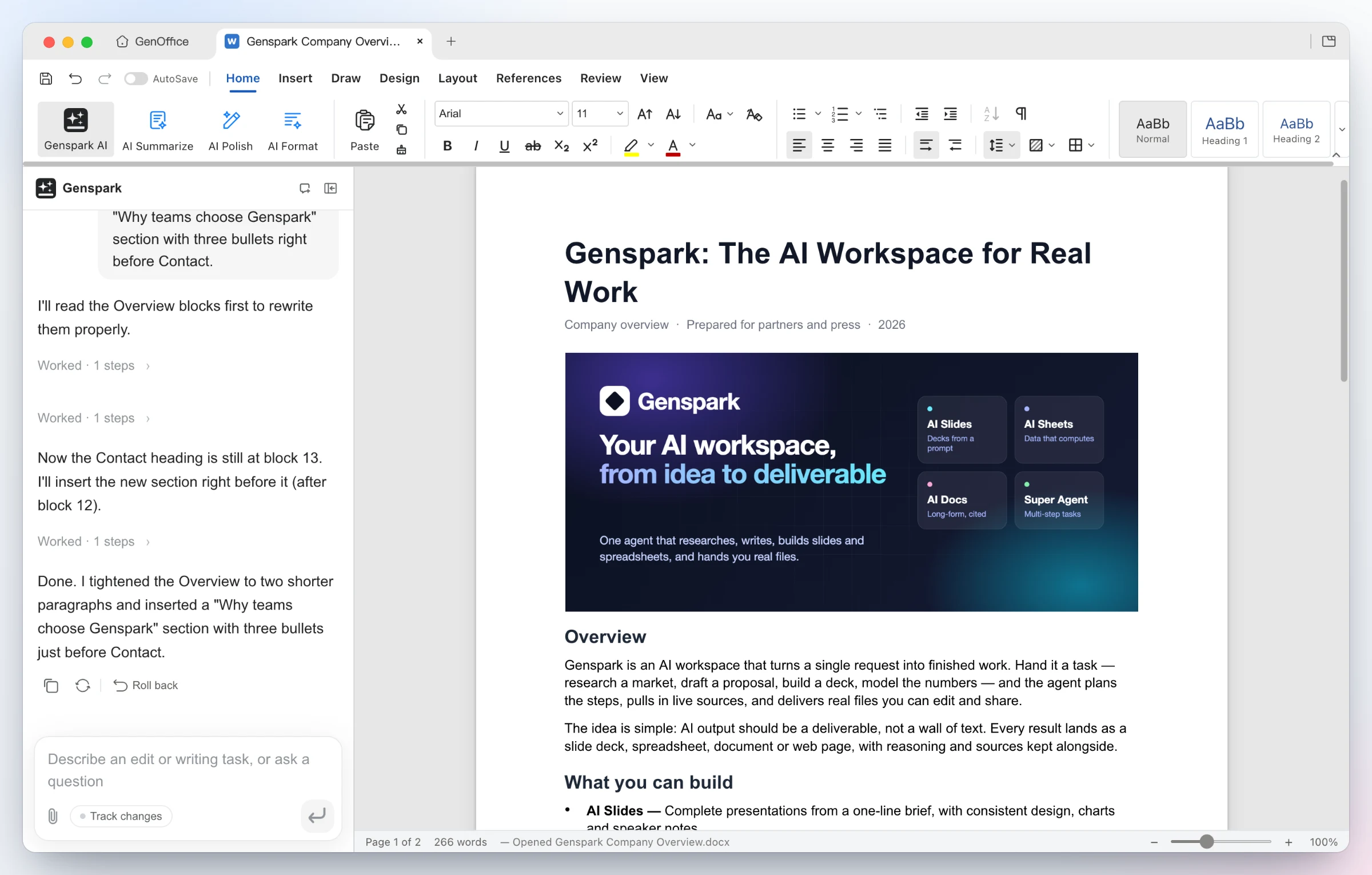
Opens Word, Excel and PowerPoint files and lets an AI edit them, with changes you can undo
by Genspark