Notion MCP
Lets your AI agent search, read and edit pages in your Notion workspace
by Notion


by InkeepAppGet organised
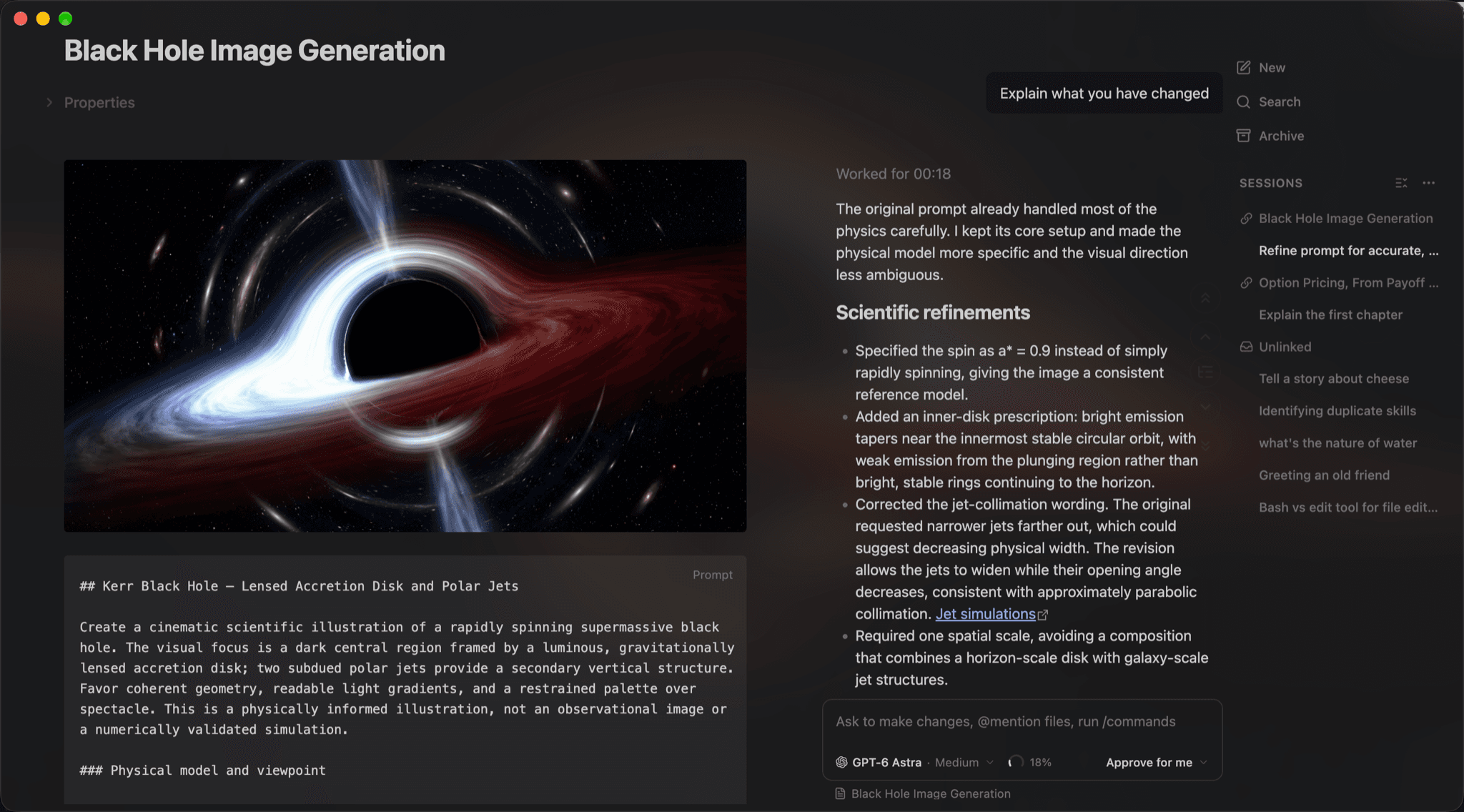
Lets you edit local notes and wikis like Notion pages, with Claude or Codex alongside
Your notes sit in a folder of Markdown files, and every time you want AI help you copy text into a chat and paste the answer back.
For Note-takers and writersTeams keeping a wikiObsidian users
OpenKnowledge is a free desktop and local web editor from Inkeep for folders of Markdown files, such as notes, a team wiki or an Obsidian vault. Your files show as formatted pages you edit directly, with search, tabs, comments and a graph of wiki links. It connects to agents you already use, such as Claude, Codex, Cursor and OpenCode, so an agent can search and edit the same pages beside you. It suits people who keep notes or a wiki and want AI help without moving their files to a cloud service.
Your knowledge base stays as plain Markdown files on your own computer, with Git keeping a history you can roll back.
Start with the first one: it is a small task you can check easily.
Example prompts written by Agent Flows Hub.
From the creator's documentation.
| Feature | What it does | Runs |
|---|---|---|
| Formatted editing | Edit Markdown files as formatted pages, much like a document | Your computer |
| Navigation | File navigator, search, tabs and a graph of wiki links | Your computer |
| Comments | Leave comments on pages, then resolve them with AI | Your computer |
| Agent side by side | Ask Claude, Codex, OpenCode or another agent to edit pages beside you | Your AI agent |
| MCP and skills | Gives connected agents tools to search and write in your knowledge base | Your AI agent |
| Git sync and sharing | Optional team sharing and auto-sync through Git or GitHub | GitHub |
You keep notes or a team wiki as Markdown files and want to edit them as formatted pages. OpenKnowledge opens the folder, and a connected agent can search and edit the same pages while you watch.
Notes by Agent Flows Hub (original project name: OpenKnowledge), written from the creator's documentation, not from running it ourselves. OpenKnowledge quickstart · OpenKnowledge repository and README
Tell us what happened. We take a look first; if it needs paid work, you get an estimate before anything starts.