
Obsidian Second Brain
Lets Claude Code save, find and update notes in your Obsidian vault across sessions
by Eugeniu Ghelbur



by CharonyuuSkillGet organised
Shows every Claude Code and Codex session on your computer as a live office in a browser
You have four agent sessions open in different terminals and can't tell which one has been waiting for your answer for twenty minutes.
For Claude Code usersCodex usersPeople running several agents
From the project's own repository · 4 images, swipe or use the arrows.
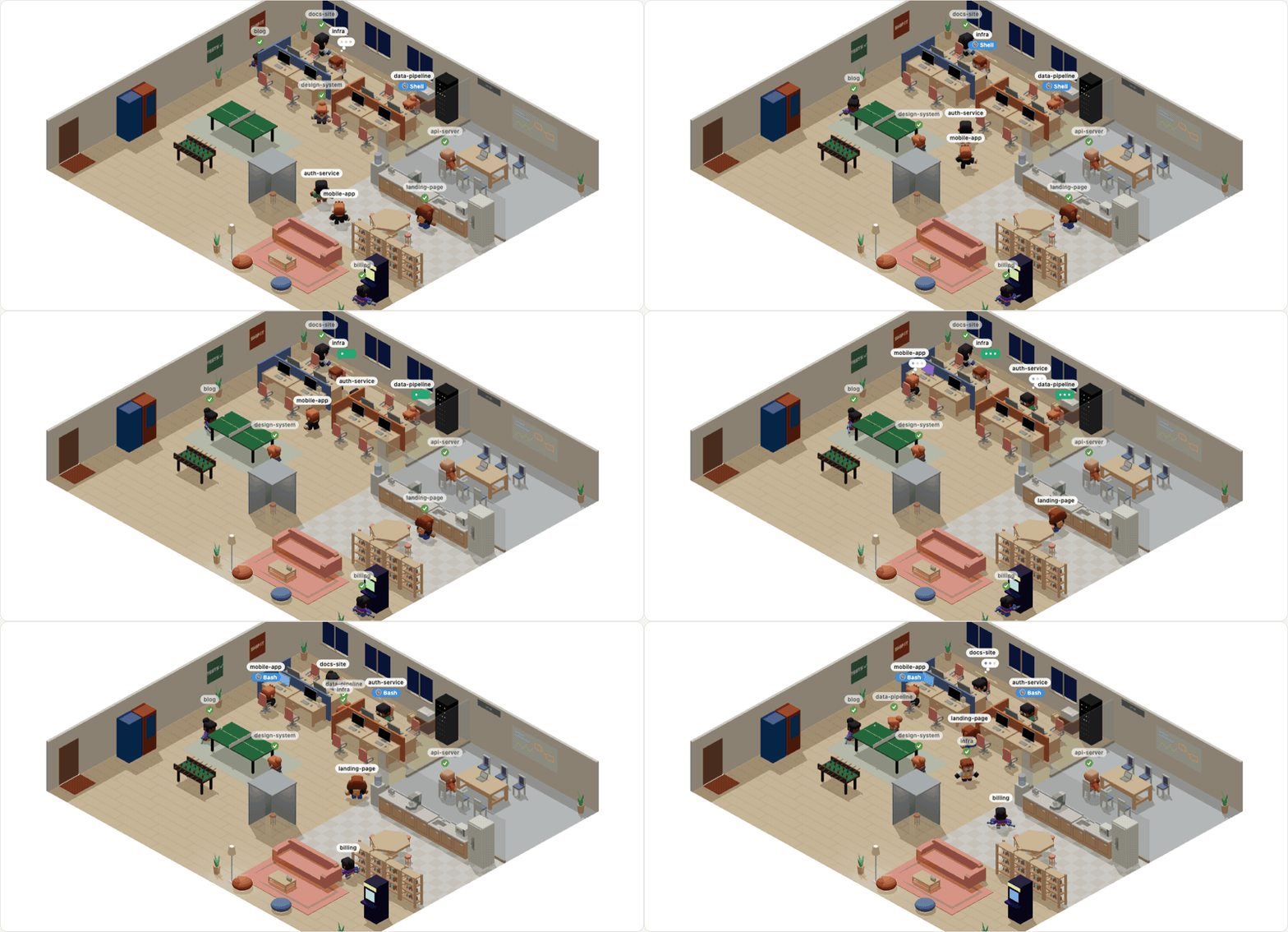
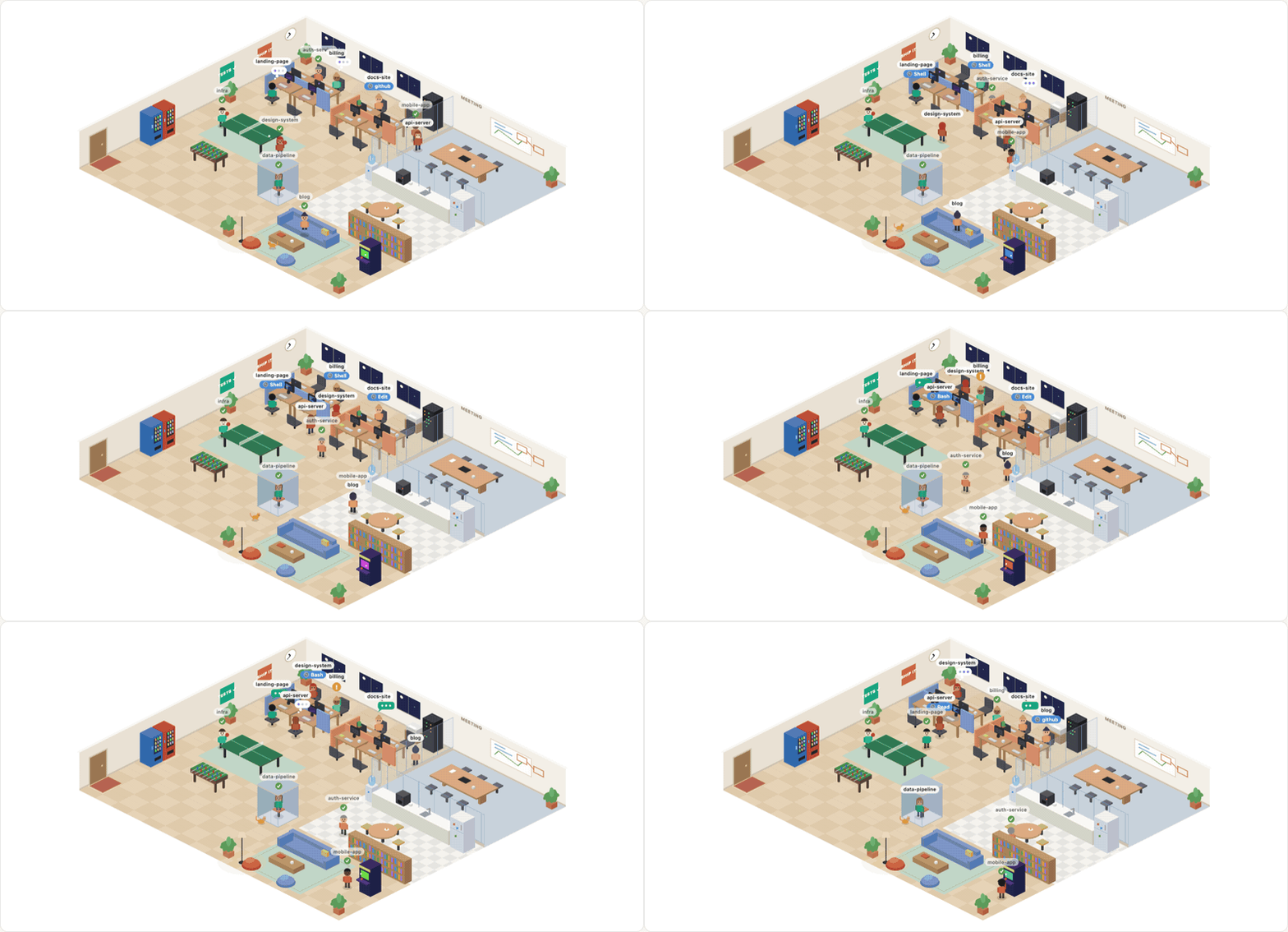
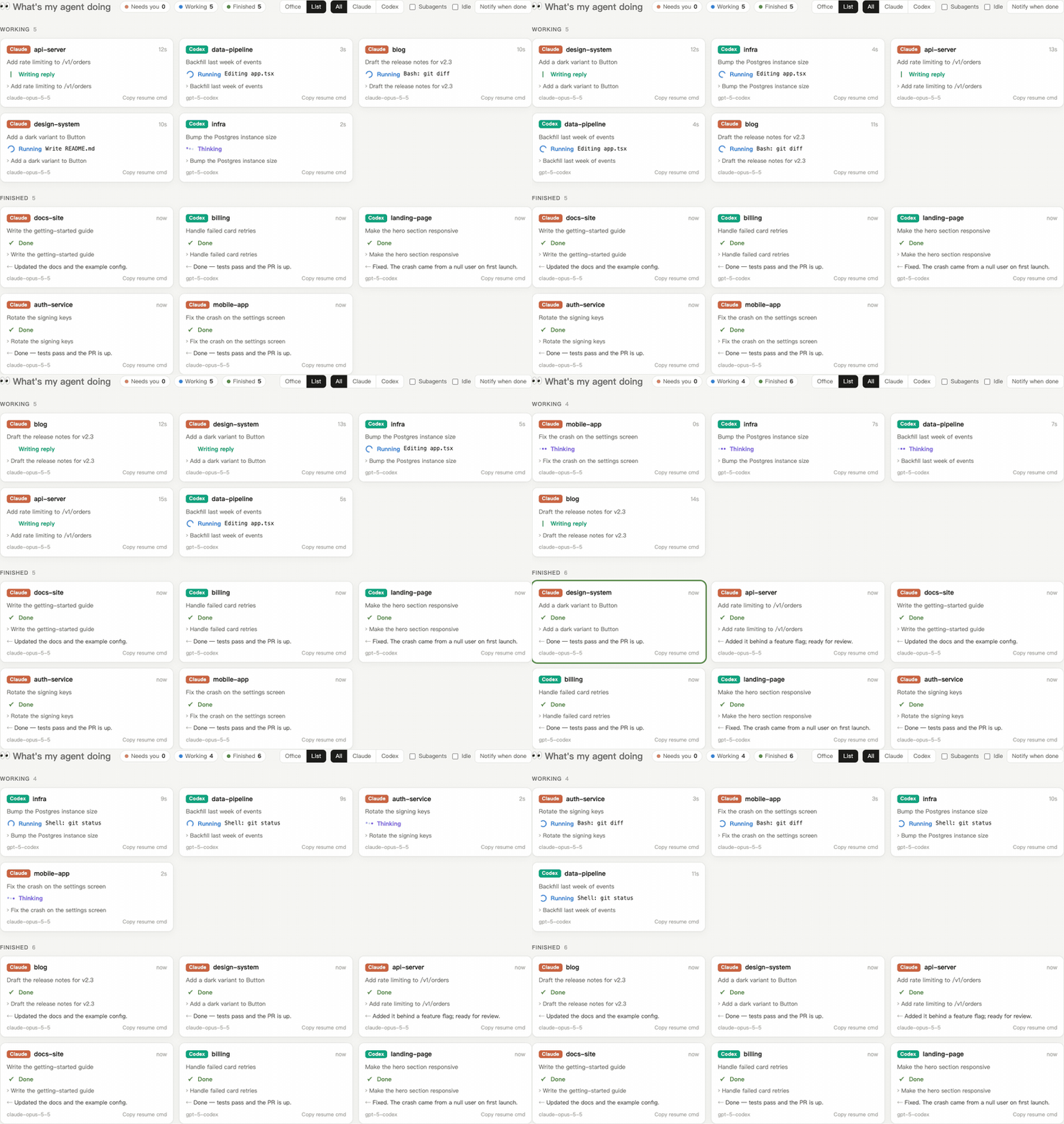
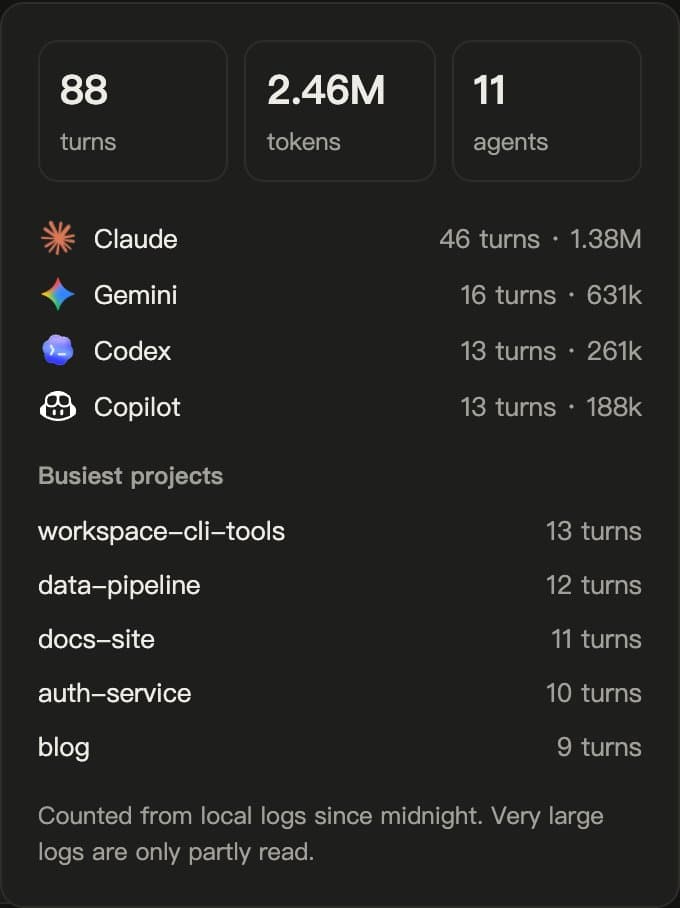
What's My Agent Doing is a skill that opens a live view of the AI coding agents running on your computer. Type /myoffice and a local page shows each Claude Code, Codex, Gemini CLI or other agent session as a character in a small office, or as a list, with whether it is thinking, running a tool, waiting for you or done. It reads the agents' own local log files and serves the page only on your computer. It suits people who keep several agent sessions open at once.
You see at a glance which agent is stuck or waiting for your answer, without switching between terminal windows.
Start with the first one: it is a small task you can check easily.
Example prompts written by Agent Flows Hub.
From the creator's documentation.
| Output | What it is | Reads |
|---|---|---|
| Live office | A 2D or 3D office where each session sits at a desk and shows its status | Your computer |
| List view | Sessions grouped into Needs you, Working and Finished, with a timer and a resume command | Your computer |
| Today panel | Today's turns and tokens per agent and project, from local usage records | Your computer |
| Alerts | A browser notification and optional chime when an agent needs you or stops making progress | Your computer |
| Private mode | Hides prompts, replies and titles and shows status only, for screen sharing | Your computer |
| Scenes and updates | Extra 3D scenes download from the project's GitHub when you ask; the page also checks GitHub for new versions | GitHub |
Keep track of several coding-agent sessions at once. The skill starts a local page that reads each agent's own log files and shows which sessions are working, finished or waiting for you.
Notes by Agent Flows Hub (original project name: whatsmyagentdoing), written from the creator's documentation, not from running it ourselves. whatsmyagentdoing README: install, options and limits · myoffice SKILL.md
Tell us what happened. We take a look first; if it needs paid work, you get an estimate before anything starts.
Lets Claude Code save, find and update notes in your Obsidian vault across sessions
by Eugeniu Ghelbur

Puts Claude Code, Codex and other agents in an Obsidian sidebar to work on your notes
by Yishen Tu

Gives you a Chromium-based browser with an AI agent in every new tab
by Felafax, Inc.