
Consensus
Answers your research questions from academic papers, with a source linked to every claim
by Consensus



by Kushagra SrivastavaAppResearch something
Runs your own AI search engine that answers questions with links to its sources
Vane, formerly Perplexica, is an AI answering engine you run yourself. It searches the web and writes an answer with links to its sources, works with a local or cloud model, and answers questions about your files.
For Researchers and studentsPeople who run home serversLocal AI users
An open-source project by developer Kushagra Srivastava, published on GitHub under the MIT license. The README says it is built on the idea that AI should be easy for everyone to use.
From the project's own repository · 2 images, swipe or use the arrows.
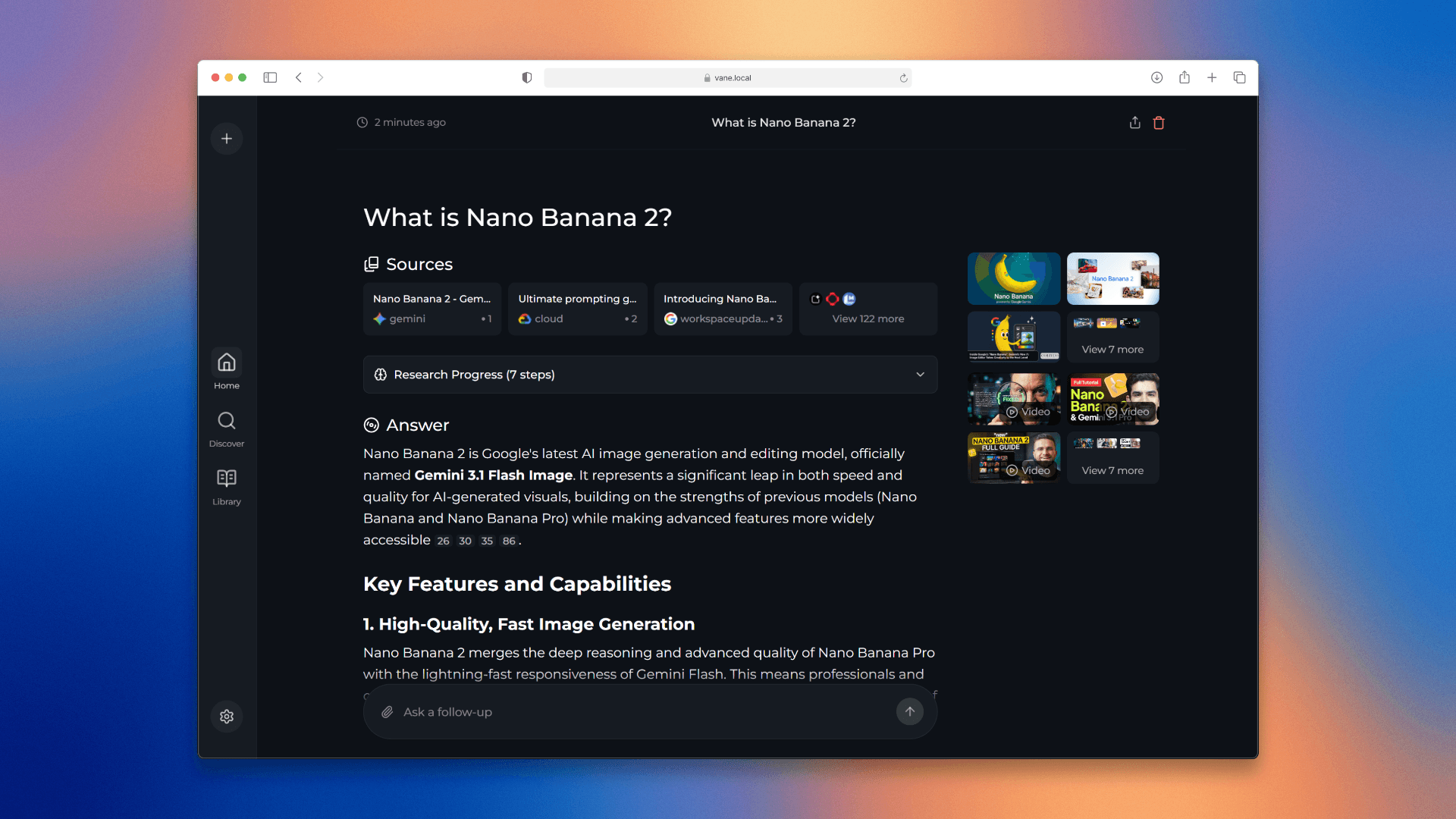

Vane, formerly called Perplexica, is a self-hosted AI answering engine that searches the web and writes an answer with links to the sources it used. You start it with one Docker command, open it in your browser and connect a local model through Ollama or a cloud provider such as OpenAI, Anthropic, Google Gemini or Groq. It has speed, balanced and quality modes, can focus on discussions or academic papers, and answers questions about files you upload. It suits people who want a private alternative to hosted AI search.
The Docker image bundles the SearxNG search engine, so you can start without a search API key, and your search history stays on your own machine.
Start with the first one: it is a small task you can check easily.
Example prompts written by Agent Flows Hub.
From the creator's documentation.
| Feature | What it does | Runs |
|---|---|---|
| Cited answers | A written answer with numbered links to the pages it used | Web search |
| Search modes | Speed, balanced and quality modes for quick or deeper answers | Your server |
| Source focus | Search the web, discussions or academic papers, or limit to specific sites | Web search |
| File questions | Upload PDFs, text files or images and ask about them | Your model provider |
| Images and video | Shows related images and videos next to the answer | Web search |
| Search history | Every search is saved on your server so you can come back to it | Your server |
Ask a research question and get a written answer with numbered links to the pages it drew on, from a search engine you run yourself. Switch to quality mode or academic sources for deeper questions.
Notes by Agent Flows Hub (original project name: Vane (formerly Perplexica)), written from the creator's documentation, not from running it ourselves. Vane README · Vane installation documentation
Tell us what happened. We take a look first; if it needs paid work, you get an estimate before anything starts.
Answers your research questions from academic papers, with a source linked to every claim
by Consensus

Answers your questions with sources you can check, and writes longer research reports
by Perplexity
Answers a research question with a written report from three AI agents that search the web
by Langflow