MiniMax MCP
Lets your AI agent create speech, cloned voices, images and videos with MiniMax
by MiniMax


by leemyswAppMake video or audio
Turns text into speech, cloned voices and songs on your own computer, with no API fees
yovoice is a free desktop studio for macOS, Windows and Linux that makes audio on your own computer: narration from text, cloned or designed voices, story dubbing and songs.
For Podcasters and video makersWriters and storytellersMusicians
An open-source project by developer leemysw, published on GitHub.
From the project's own repository.
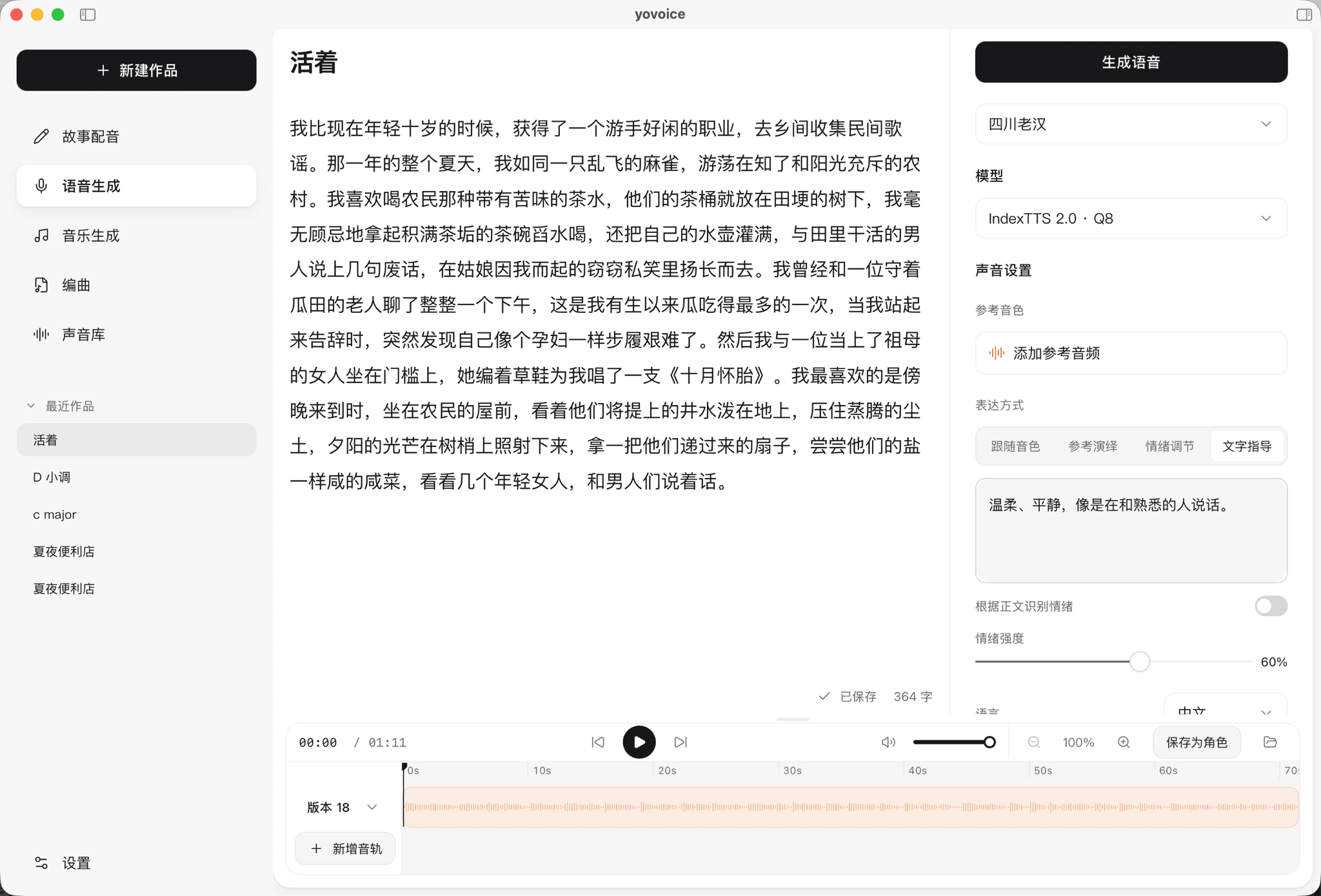
yovoice is a desktop studio for macOS, Windows and Linux that makes audio from text without cloud services. You can turn a script into narration, clone a voice from a short sample, design a voice from a description, dub a story line by line, and write lyrics to generate songs or instrumentals. Models download inside the app and run on your own computer, and you can export audio, stems and MIDI. It suits podcasters, video makers, writers and musicians who want to keep their work on their machine.
Speech, voice cloning and song generation run on your computer from one installer, so there is no per-character fee and your scripts stay local.
Start with the first one: it is a small task you can check easily.
Example prompts written by Agent Flows Hub.
From the creator's documentation.
| Feature | What it does | Runs |
|---|---|---|
| Text to speech | Narration with built-in voices, emotion and delivery controls | Your computer |
| Voice cloning | Clone a voice from a reference sample or design one from a description | Your computer |
| Story dubbing | Import text or subtitles and assign a character voice to each line | Your computer |
| Music | Songs and instrumentals from a style and lyrics, plus sound effects | Your computer |
| Score | Write or import MIDI parts and export MIDI and stems | Your computer |
| AI assistant | Optional chat panel that writes lyrics and starts generation with a model key you add | Your model provider |
Turn a written script into narration in a chosen or cloned voice without paying per character. yovoice downloads a speech model once, then generates takes on your computer that you can compare, trim and export.
Notes by Agent Flows Hub (original project name: yovoice), written from the creator's documentation, not from running it ourselves. yovoice README · yovoice model selection
Tell us what happened. We take a look first; if it needs paid work, you get an estimate before anything starts.
Lets your AI agent create speech, cloned voices, images and videos with MiniMax
by MiniMax
Makes a full song with vocals from your lyrics and a style description on your computer
by Comfy Org

Clones voices, dubs videos and reads text aloud on your own computer
by Palash Debnath