OpenUsage
Shows how much of your Claude, ChatGPT and other AI plans is left, in the Mac menu bar
by Robin Ebers


by Wenhai-LiuAppGet organised
Shows how much of each AI plan or credit balance you have left and when it resets
You hit your AI plan's limit halfway through a task, with no idea it was close or when it resets.
For People paying for several AI plansClaude, Codex and Cursor usersTeams watching AI spend
From the project's own repository · 3 images, swipe or use the arrows.
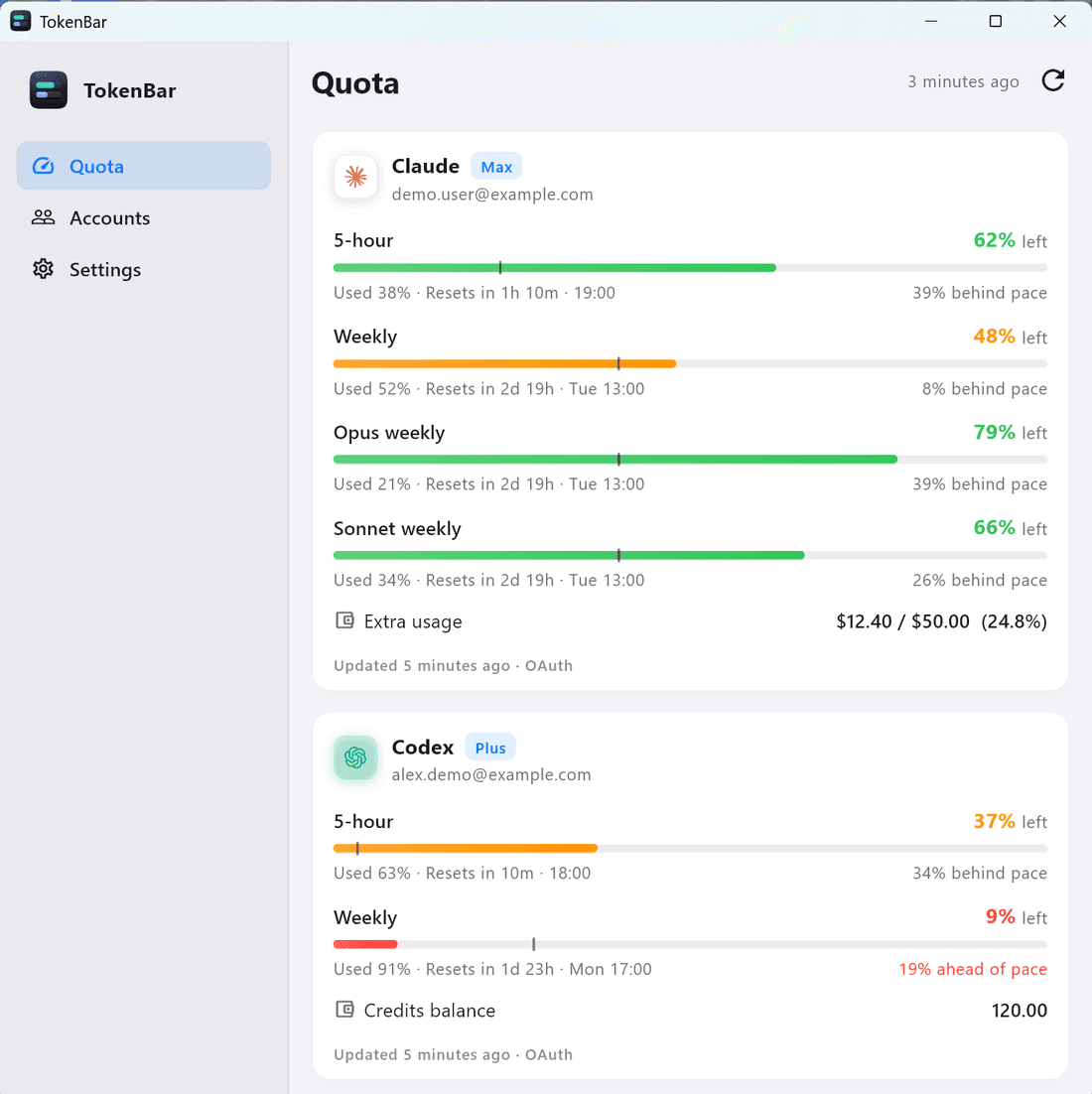
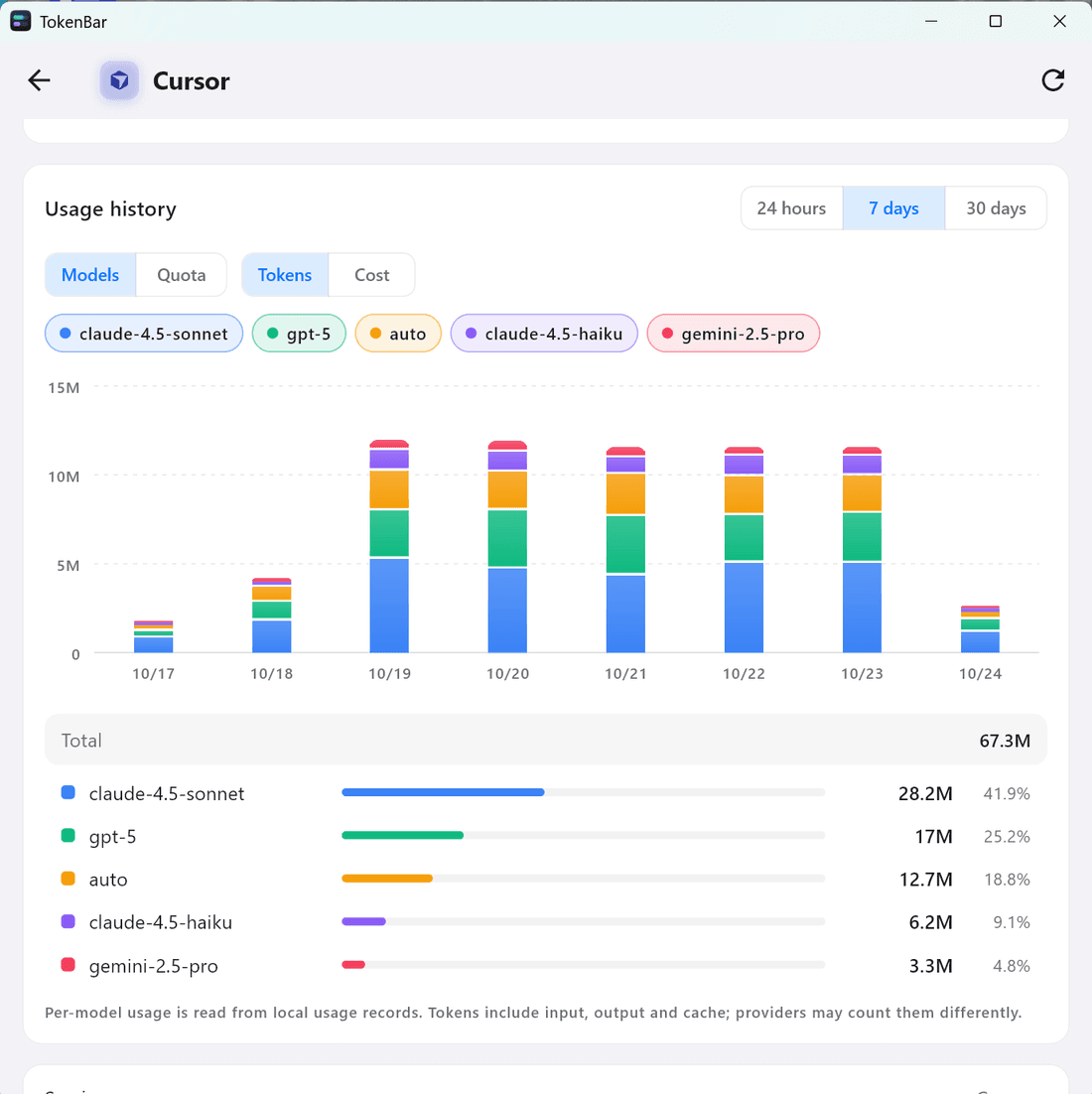
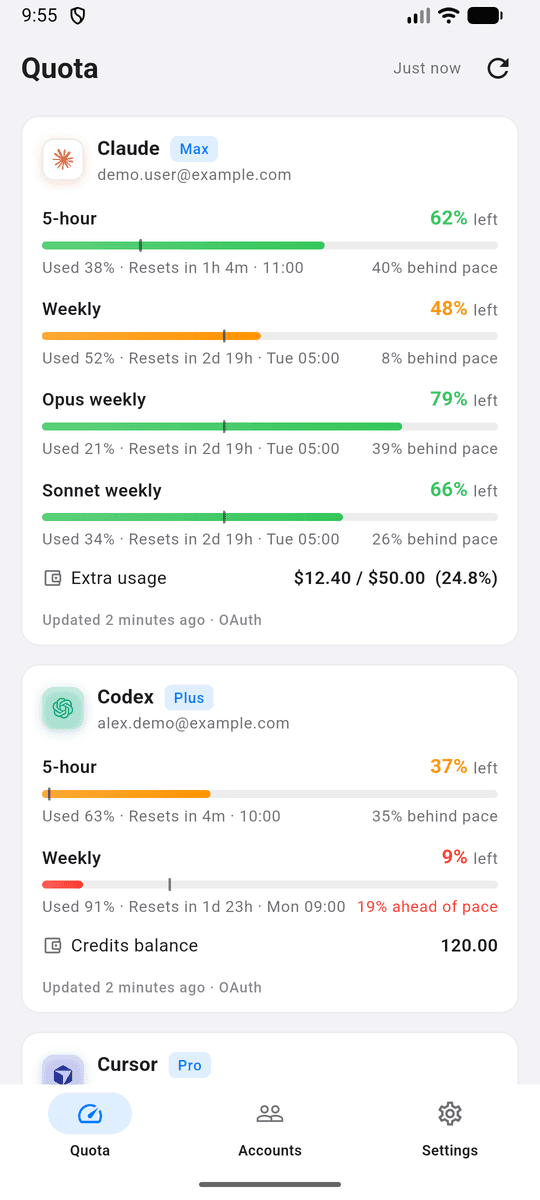
TokenBar is a free app that collects the usage limits of your AI services in one window and a tray icon. It covers 50 services, including Claude, Codex, Cursor, OpenRouter and DeepSeek, and shows what is left, when each limit resets and whether you are using it faster than an even pace. On a computer it reuses the logins your official AI apps already saved; elsewhere you paste an API key. It suits anyone paying for more than one AI plan.
One glance replaces checking several dashboards, and it reads from each service directly on your device rather than through a middle server.
Start with the first one: it is a small task you can check easily.
Example prompts written by Agent Flows Hub.
From the creator's documentation.
| Feature | What it does | Runs |
|---|---|---|
| Quota windows | 5-hour, weekly, monthly and per-model limits with reset countdown and pace | Your AI accounts |
| Balances and spend | Credit balances and spend in each provider's own unit | Your AI accounts |
| Local logins | Reuses logins your official AI apps saved on the computer, read-only | Your computer |
| Tray panel | A two-bar tray icon and a compact panel listing every account | Your computer |
| Usage history | Stacked bars for 24 hours, 7 days or 30 days, recorded on your device | Your computer |
| Alerts | Notifications at low-quota thresholds you choose and when a quota resets | Your computer |
Install TokenBar on the computer where you already use Claude Code, Codex or Cursor. It finds those logins on first launch and shows each plan's remaining quota and reset time in the window and tray.
Notes by Agent Flows Hub (original project name: TokenBar), written from the creator's documentation, not from running it ourselves. TokenBar README
Tell us what happened. We take a look first; if it needs paid work, you get an estimate before anything starts.
Shows how much of your Claude, ChatGPT and other AI plans is left, in the Mac menu bar
by Robin Ebers

Types what you say into any text field when you press a shortcut, fully offline
by CJ Pais

Shows every Claude Code and Codex session on your computer as a live office in a browser
by Charonyuu