
Everywhere
Lets you press a shortcut to ask AI about whatever is on your screen
by Sylinko



by CJ PaisAppGet organised
Types what you say into any text field when you press a shortcut, fully offline
A free desktop app for speech-to-text. Press a shortcut, speak, and your words are pasted wherever your cursor is. The speech models run on your own computer, so your audio is not sent anywhere.
For People who prefer speaking to typingPrivacy-minded usersAccessibility tool users
An open-source app by developer CJ Pais, published on GitHub and kept free through sponsorships and donations.
From the project's own repository · 2 images, swipe or use the arrows.
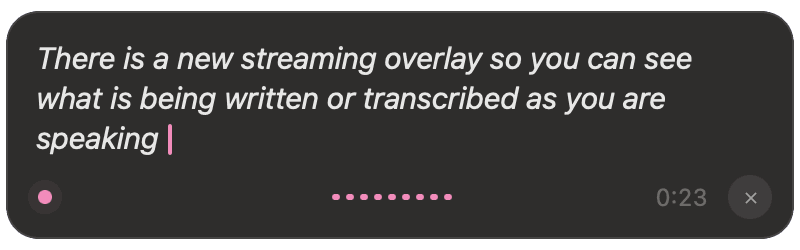
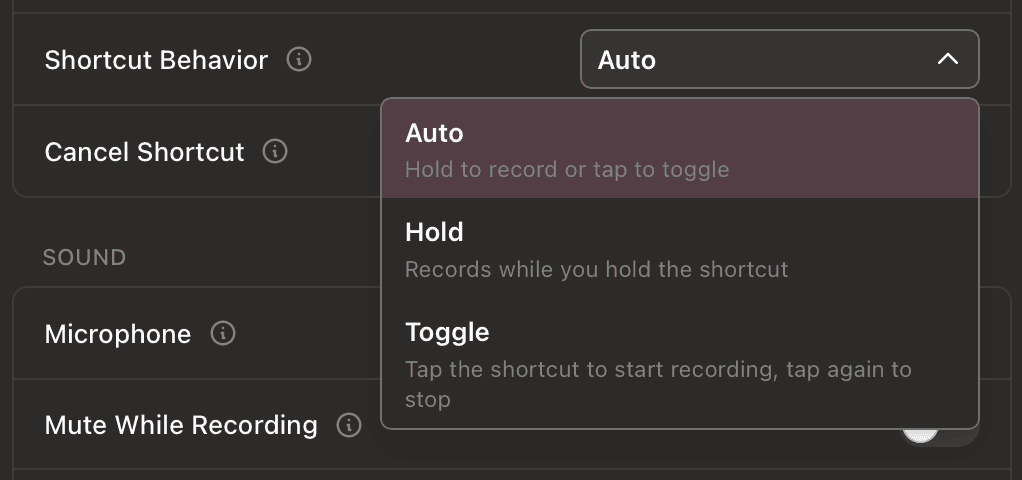
Handy is a free desktop app for speech-to-text. You press a keyboard shortcut, speak, and your words are pasted wherever your cursor is: a browser, an email, a chat app or an editor. The speech models run on your own computer, so the audio is not sent anywhere. It suits anyone who would rather talk than type, including people who rely on accessibility tools.
It does one job, dictation into any app, and keeps your voice on your own computer instead of a cloud service.
Start with the first one: it is a small task you can check easily.
Example prompts written by Agent Flows Hub.
From the creator's documentation.
| Feature | What it does | Runs |
|---|---|---|
| Dictation anywhere | Press a shortcut, speak, and the text is pasted where your cursor is | Your computer |
| Local models | Whisper, Parakeet V3 and other speech models that run on your device | Your computer |
| Shortcut modes | Hold to record, tap to toggle, or let Auto decide | Your computer |
| History | Past transcriptions with the original audio, to copy, star or delete | Your computer |
| Post-processing (alpha) | Sends the text to an AI provider you pick to fix grammar, reformat or translate it | Your AI provider |
You want to dictate an email or a chat reply instead of typing it. Handy listens while you hold or tap a shortcut and pastes the text into the app you are using.
Notes by Agent Flows Hub (original project name: Handy), written from the creator's documentation, not from running it ourselves. Handy documentation: getting started · Handy documentation: post-processing
Tell us what happened. We take a look first; if it needs paid work, you get an estimate before anything starts.