
OpenCode
Lets you hand coding tasks to an open source AI agent that works with many model providers
by Anomaly


by Ruslan GrinevAppWrite code
Lets you send coding tasks to OpenCode on your computer from Telegram on your phone
You left a coding task running at your desk, and now you're out with only your phone and no way to see whether it is stuck on a question.
For OpenCode usersDevelopers away from their desk
From the project's own repository · 3 images, swipe or use the arrows.
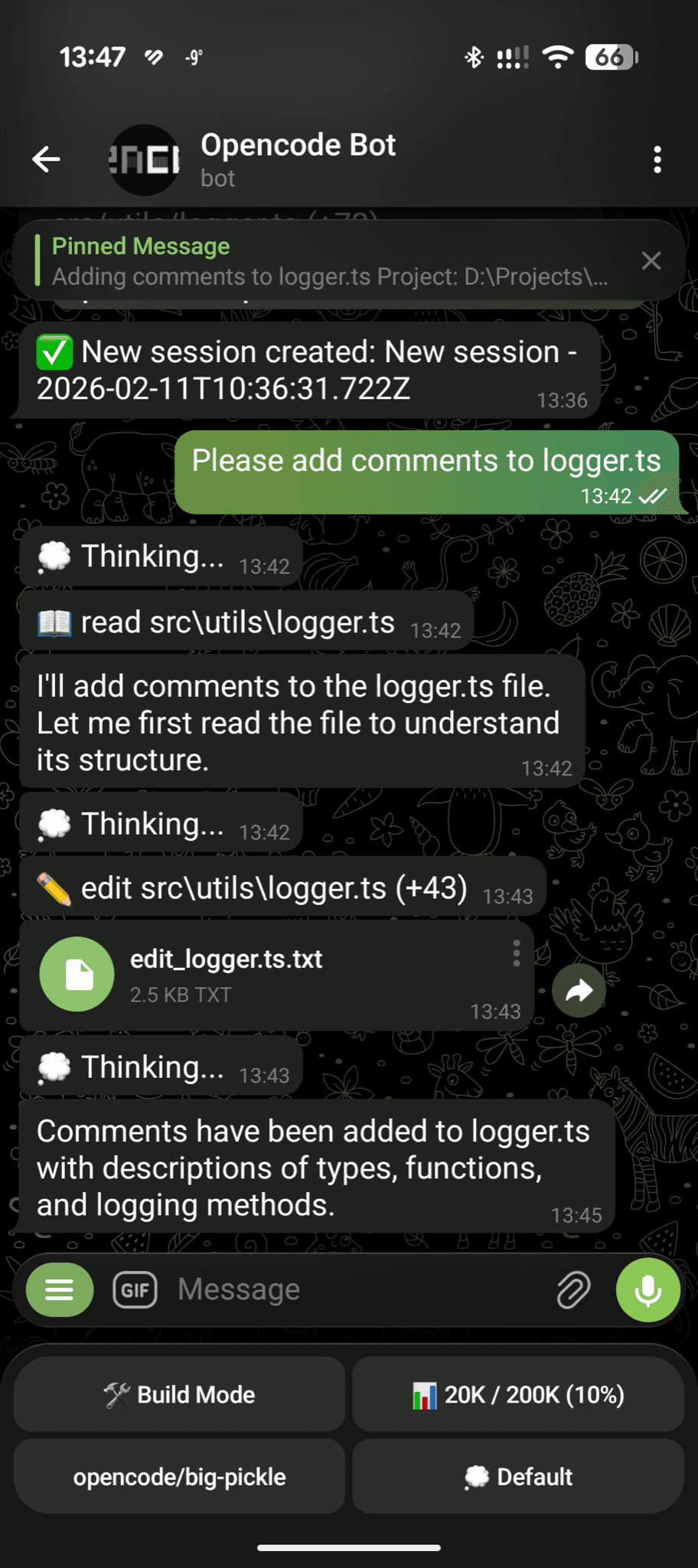
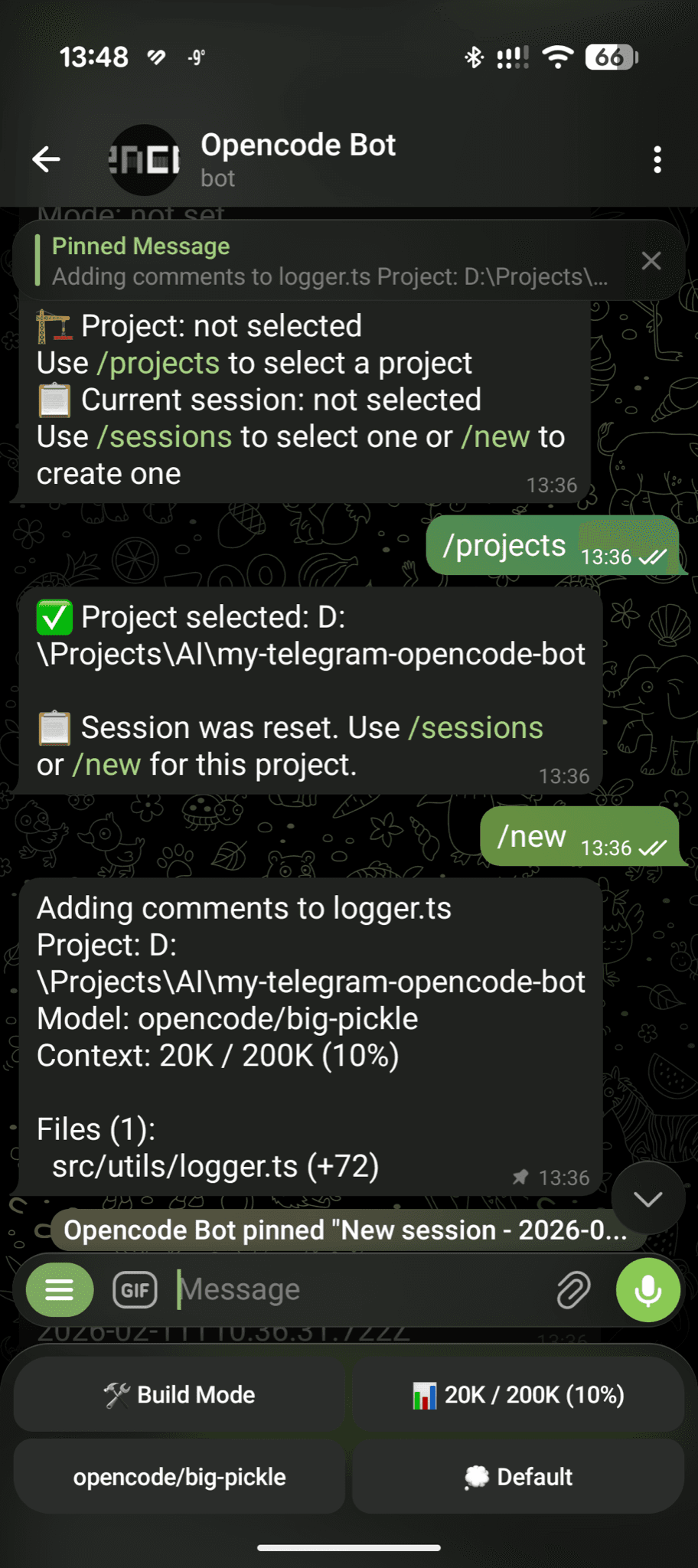
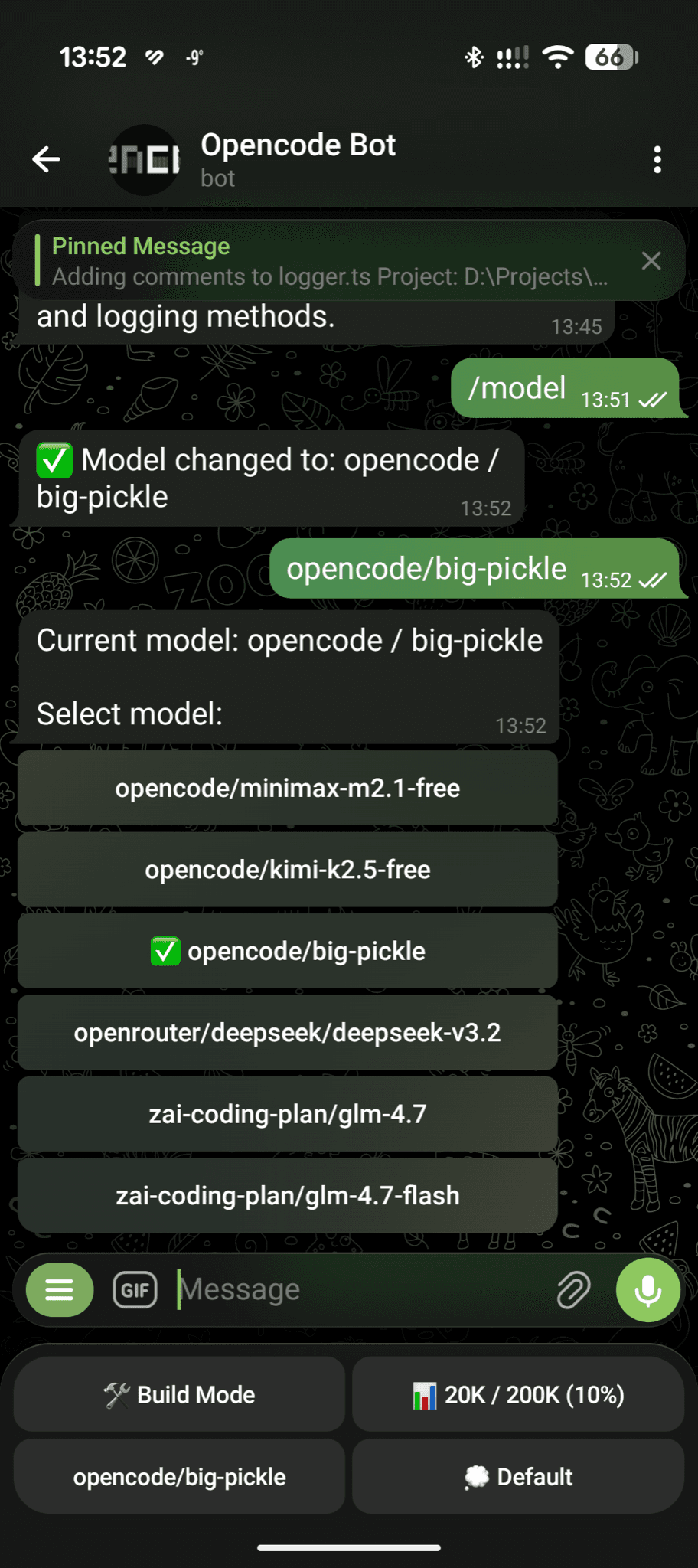
OpenCode Telegram Bot is a Telegram chat bot that connects to the OpenCode coding agent running on your own computer. You type a task in Telegram; OpenCode does the work on your computer and the bot sends back its progress, questions and changed files. You can switch projects, sessions and models, approve permissions with buttons and schedule tasks to run later. It suits OpenCode users who want to keep work going while away from their desk.
It runs on your own computer and answers only the Telegram user ID you set; the maker says it opens no ports.
Start with the first one: it is a small task you can check easily.
Example prompts written by Agent Flows Hub.
From the creator's documentation.
| Feature | What it does | Runs |
|---|---|---|
| Remote prompts | Send text, images or files from Telegram to OpenCode on your computer; voice needs a transcription service | Telegram + your computer |
| Live status | A pinned message with project, model, context use and changed files | Read |
| Approvals | Answer the agent's questions and permission requests with buttons | Read + write |
| Sessions and models | Create, continue, revert or fork sessions and switch models or projects | Your computer |
| Scheduled tasks | Run prompts later or on a repeating interval of 5 minutes or more | Your computer |
| Access control | Only the Telegram user ID you set can use the bot | Telegram |
You start a coding task in OpenCode and want to follow it, answer its questions and send the next prompt from your phone. The bot relays prompts, status, permission requests and changed files between Telegram and the OpenCode server on your computer.
Notes by Agent Flows Hub (original project name: opencode-telegram-bot), written from the creator's documentation, not from running it ourselves. OpenCode Telegram Bot: README and quick start
Tell us what happened. We take a look first; if it needs paid work, you get an estimate before anything starts.
Lets you hand coding tasks to an open source AI agent that works with many model providers
by Anomaly
Lets you run and steer the coding agents on your computer from one app or your phone
by T3 Tools

Lets you hand coding tasks to OpenAI's agent, which edits and runs code on your computer
by OpenAI