
AstrBot
Puts an AI assistant into QQ, WeCom, Feishu, Telegram, Slack and other chat apps
by AstrBot AI



by LangBotAppGet updates sent to me
Puts an AI chatbot into WeChat, QQ, Lark, Telegram, Slack, Discord and other chat apps
Your community group asks the same ten questions every day, and you are the one typing the answers at midnight.
For Community managersCustomer support teamsSmall businesses
From the project's own repository.
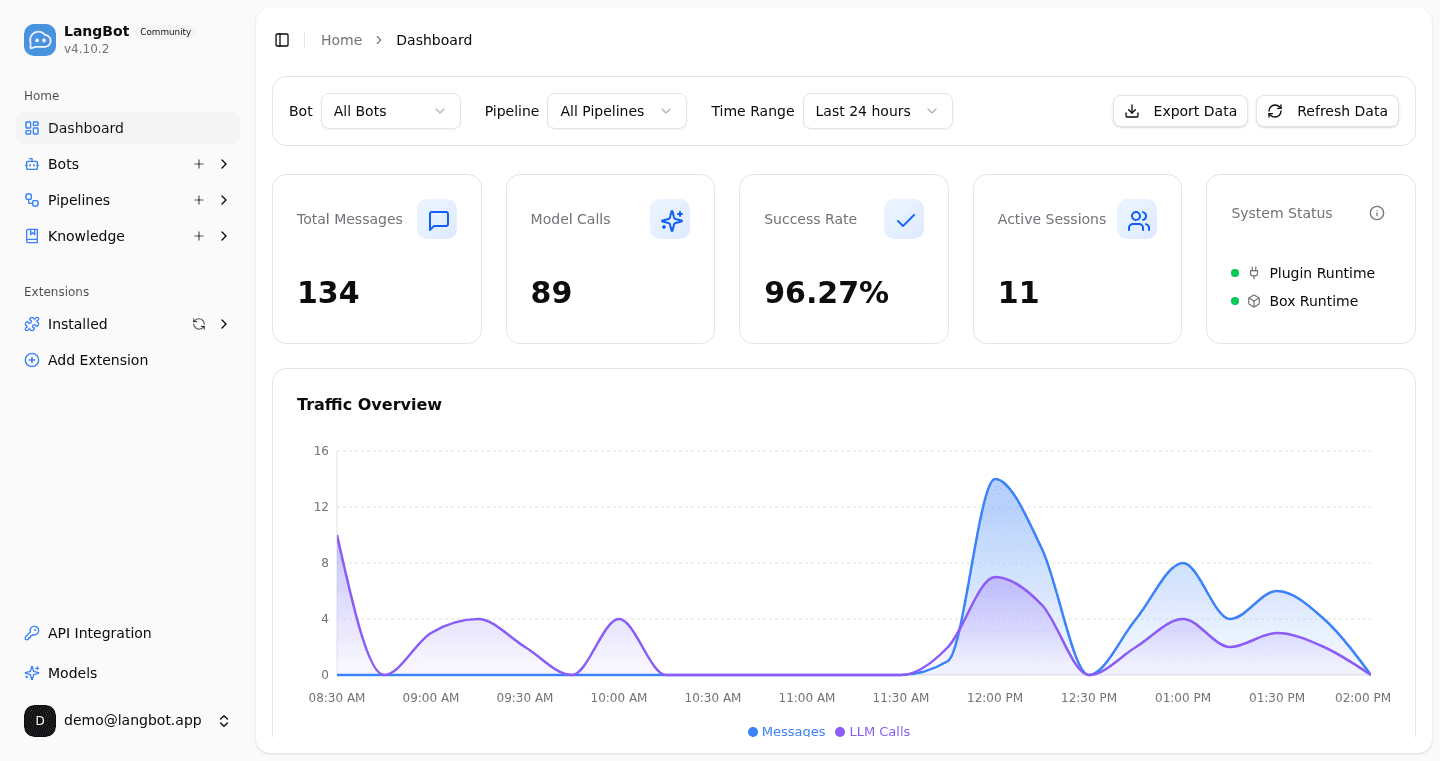
LangBot is an open-source platform for running AI chatbots in the chat apps your team or community already uses, including WeChat, WeCom, QQ, Lark, DingTalk, Telegram, Slack, Discord and LINE. You connect a model such as DeepSeek, OpenAI, Claude or a local Ollama model, add a knowledge base or plugins, and manage every bot from a web panel without editing config files. You can run it yourself with one command or Docker, or use the hosted LangBot Cloud. It suits community managers, support teams and small businesses.
One web panel runs the same assistant across Chinese and international chat apps, with a knowledge base and hundreds of plugins.
Start with the first one: it is a small task you can check easily.
Example prompts written by Agent Flows Hub.
From the creator's documentation.
| Feature | What it does | Runs |
|---|---|---|
| Chat apps | WeChat, WeCom, QQ, Lark, DingTalk, Telegram, Slack, Discord, LINE and more | Your bot accounts |
| Models | OpenAI, Claude, DeepSeek, Gemini and other providers, or local Ollama | Your model provider |
| Knowledge base | Answers from documents you add, with links to Dify, Coze, n8n and Langflow | Your server |
| Web panel | Set up bots and pipelines and watch usage without editing config files | Your server |
| Controls | Access control, rate limits and sensitive-word filtering | Your server |
| Plugins | Hundreds of plugins and MCP support to add tools | Plugin market |
Answer common questions in a team or community chat group with an AI assistant. LangBot connects a model and an optional knowledge base to WeChat, Telegram, Slack, Discord and other apps, and shows message and model-call counts in its web panel.
Notes by Agent Flows Hub (original project name: LangBot), written from the creator's documentation, not from running it ourselves. LangBot README · LangBot documentation
Tell us what happened. We take a look first; if it needs paid work, you get an estimate before anything starts.
Puts an AI assistant into QQ, WeCom, Feishu, Telegram, Slack and other chat apps
by AstrBot AI
Puts your own AI chat bot in Telegram, deployed to Cloudflare with one button
by TBXark

Runs a personal Claude agent you message from WhatsApp, Telegram, Slack and more
by NanoCo