
ArtCraft
Lets you stage a scene in 2D or 3D, then render it as an AI image or video
by ArtCraft


by Samuel GurskyConnectorMake video or audio
Lets your AI agent sort media, build timelines, grade and render in DaVinci Resolve
DaVinci Resolve MCP is an open-source connector that lets your AI agent work inside DaVinci Resolve Studio through its scripting interface: sort media, build timelines, add markers, copy grades and queue renders.
For Video editorsAssistant editorsColorists
An open-source project by Samuel Gursky, a creative technologist who works on DaVinci Resolve development and post-production.
From the project's own repository · 2 images, swipe or use the arrows.
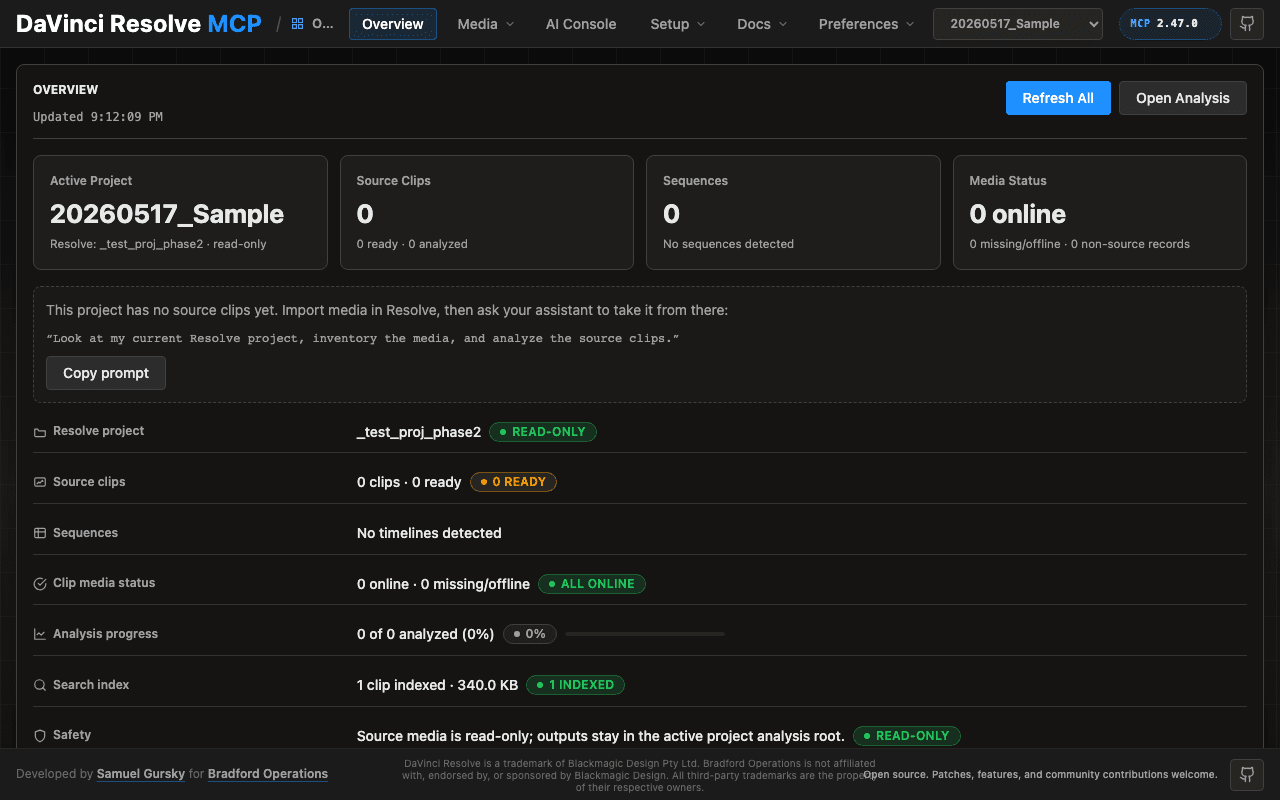
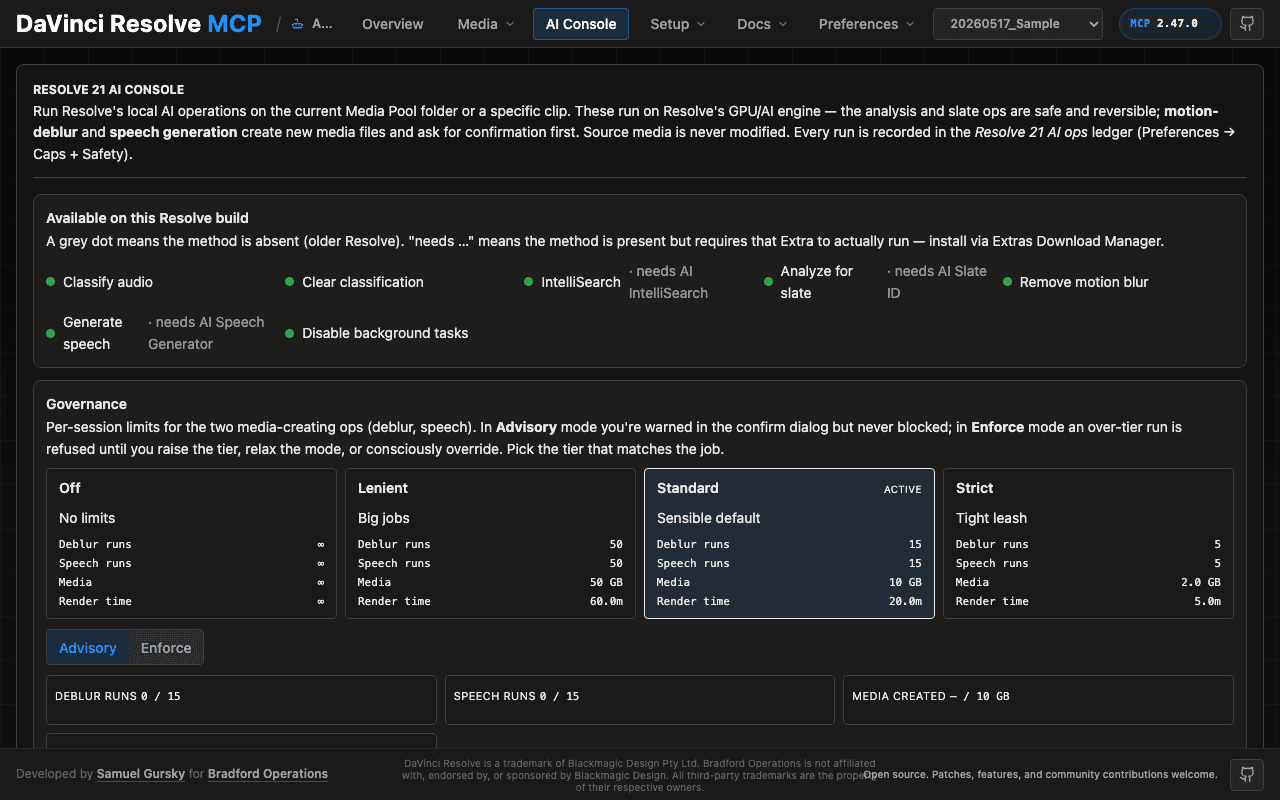
DaVinci Resolve MCP is an open-source connector that lets an AI agent work inside DaVinci Resolve through Blackmagic's official scripting API. You ask in plain words and it can open projects, sort clips into bins, build timelines, add review markers, copy grades and queue renders, planning each destructive step for your review first. A local browser panel shows the project state and media analysis. It suits video editors and post-production assistants who use Resolve Studio.
It states full coverage of Resolve's scripting API and never changes camera originals, so an agent can prepare a first assembly and leave your sources alone.
Start with the first one: it is a small task you can check easily.
Example prompts written by Agent Flows Hub.
From the creator's documentation.
| Toolset | What your agent can do | Access |
|---|---|---|
| Project control | Open, create and switch projects, pages and project settings | Read + write |
| Media pool | Import media, sort clips into bins and tidy clip metadata | Read + write |
| Media analysis | Clip summaries, shots and transcripts, written to reports without changing source files | Read |
| Timeline editing | Check tracks for gaps and missing media, build timelines and add review markers | Read + write |
| Color and grading | Read node graphs, copy grades and export LUTs | Read + write |
| Render | Check render settings and queue render jobs | Read + write |
You have footage in a Resolve Studio project and want help with assistant-editor work. The connector lets an agent import and sort media, build a first timeline, add markers and set up a render, planning each destructive step for your review.
Notes by Agent Flows Hub (original project name: davinci-resolve-mcp), written from the creator's documentation, not from running it ourselves. DaVinci Resolve MCP: README · DaVinci Resolve MCP: installation and configuration
Tell us what happened. We take a look first; if it needs paid work, you get an estimate before anything starts.
Lets you stage a scene in 2D or 3D, then render it as an AI image or video
by ArtCraft

Lets your AI agent create speech, cloned voices, images and videos with MiniMax
by MiniMax

Lets Claude, Codex or Cursor edit your videos on a real timeline in a Mac video editor
by Palmier
See all 52 connectors · An MCP server is missing or disconnected