
GPT Researcher
Turns a research question into a cited report from web pages or your own documents
by Assaf Elovic




by CinnamonAppResearch something
Lets you ask questions about your own documents and see cited answers in a web page
You have a stack of PDFs and need one answer from them, but a chatbot rarely tells you which page it came from.
For End users doing QA on documentsDevelopers building a RAG pipeline
From the project's own repository.
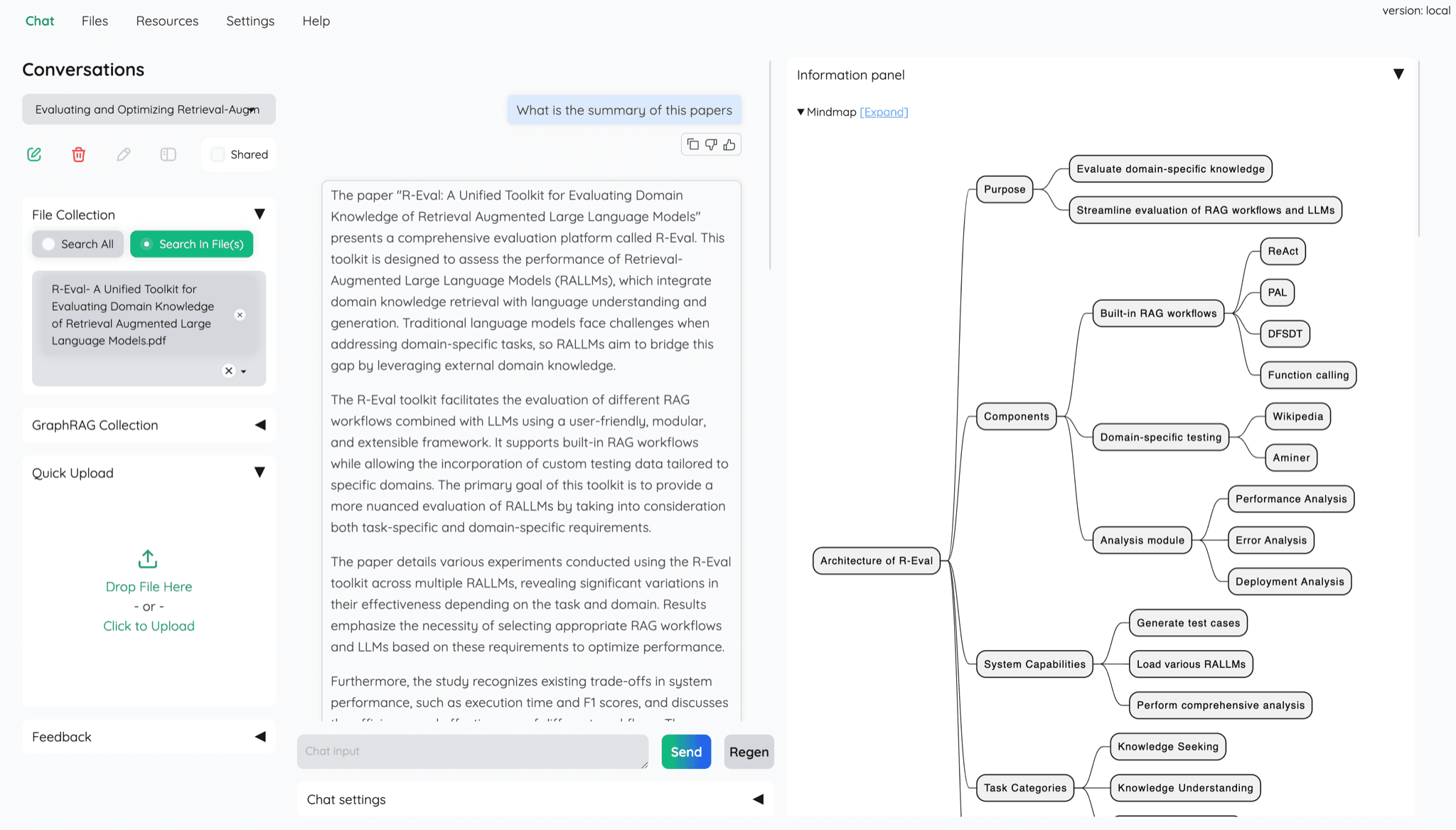
Kotaemon is an open-source web app for chatting with your documents. You upload files such as PDFs, connect an AI model from a provider like OpenAI or one running on your own computer through Ollama, and ask questions. Answers come with citations that open in a built-in PDF viewer with highlights. It supports several users, with private and shared file collections.
By default it gives detailed citations, and you can open them in a built-in PDF viewer with highlights.
Start with the first one: it is a small task you can check easily.
Example prompts written by Agent Flows Hub.
From the creator's documentation.
| Feature | What it does | Runs |
|---|---|---|
| Cited answers | Answers come with citations that open in an in-browser PDF viewer with highlights | Your computer |
| Model choice | Use API providers such as OpenAI, Azure, Cohere or Groq, or local models through Ollama | Your model provider |
| Hybrid search | Combines full-text and vector search with re-ranking to find passages | Your computer |
| Figures and tables | Answers questions about documents with figures and tables, with selectable parsing options | Your computer |
| Several users | Multi-user login with private and public file collections you can share | Your computer |
| Settings page | Adjust retrieval and generation settings, including prompts, in the page | Your computer |
You have PDFs or other documents and want answers from them in plain words. Kotaemon indexes your files, answers with citations, and opens the cited passage in a PDF viewer so you can check it.
Notes by Agent Flows Hub (original project name: kotaemon), written from the creator's documentation, not from running it ourselves. Kotaemon README · Kotaemon getting started guide
Tell us what happened. We take a look first; if it needs paid work, you get an estimate before anything starts.
Turns a research question into a cited report from web pages or your own documents
by Assaf Elovic

Lets your AI agent search the web and turn pages and documents into clean, readable text
by Firecrawl

Keeps web pages, PDFs and videos in local notebooks and writes cited notes from them
by Deta