
Expo Skills
Teaches Claude Code how to build, publish and update phone apps made with Expo
by Expo




by Daniel AvilaCLI toolWrite code
Installs ready-made skills, agents, commands and MCP setups into Claude Code in one step
Claude Code Templates is a catalog and installer for Claude Code add-ons: skills, agents, commands, MCP setups, settings and hooks, chosen on a website or from the terminal.
For Claude Code usersDevelopersTechnical makers
Daniel Avila publishes it as an MIT-licensed open-source project. The README lists several sponsors and open-source programs that support it.
From the project's own repository.
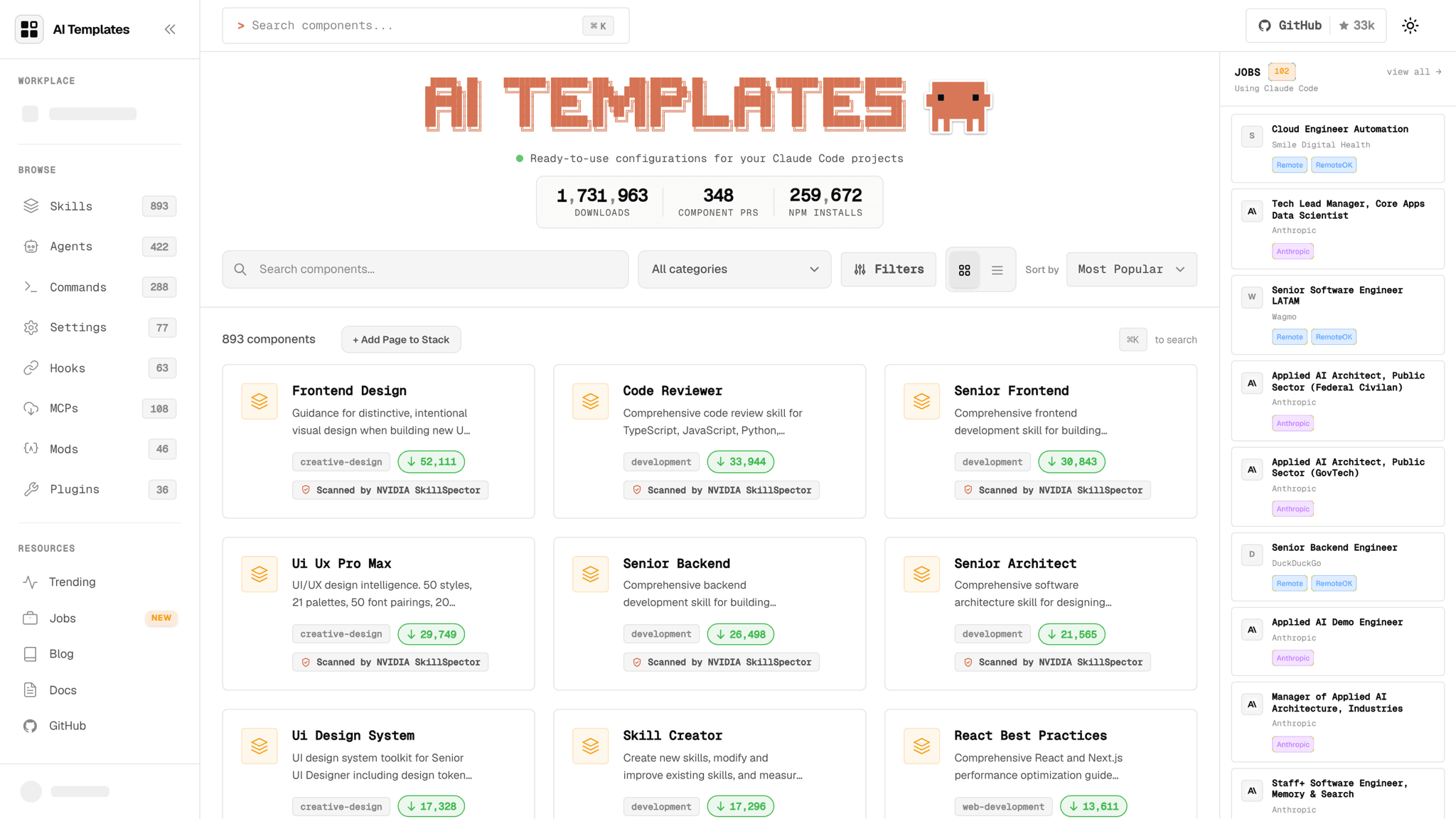
Claude Code Templates is a catalog of about 1,900 ready-made add-ons for Claude Code, including skills, agents, slash commands, MCP integrations, settings and hooks. You browse the catalog on its website or run one npx command, and the tool writes the chosen files into your project. It also includes local dashboards for Claude Code usage and for searching past conversations. It suits Claude Code users who want a head start instead of writing every setup file by hand.
One command adds a whole stack, and the website lets you preview every file a component writes before you install it.
Start with the first one: it is a small task you can check easily.
Example prompts written by Agent Flows Hub.
From the creator's documentation.
| Feature | What it does | Runs |
|---|---|---|
| Component catalog | Search about 1,900 skills, agents, commands, MCPs, settings and hooks on the website | The web |
| One-command install | Writes the chosen components into your project and Claude Code settings, and sends a usage event to aitmpl.com | Your computer and aitmpl.com |
| Usage analytics | Shows Claude Code session state and usage at localhost:3333 | Your computer |
| Conversation browser | Lets you read and search past Claude Code conversations at localhost:9876 | Your computer |
| Health check | Checks your Claude Code installation and project setup; also sends a command-usage event to aitmpl.com | Your computer and aitmpl.com |
| Project templates | Complete project setups for common languages and frameworks | Your computer |
You use Claude Code and want ready-made skills, agents, commands, MCP setups or hooks in your project. Browse the catalog or run the installer, pick components, and the tool writes their files into your project.
Notes by Agent Flows Hub (original project name: Claude Code Templates (aitmpl)), written from the creator's documentation, not from running it ourselves. Claude Code Templates README: install and components · Claude Code Templates catalog · Claude Code Templates privacy page: CLI usage statistics
Tell us what happened. We take a look first; if it needs paid work, you get an estimate before anything starts.
Teaches Claude Code how to build, publish and update phone apps made with Expo
by Expo

Installs, updates and removes agent skills for Claude Code, Codex, Cursor and more
by Vercel Labs

Shows every step Claude Code took in a session, with the files, edits and tokens behind it
by matt