Claude HUD
Shows context use, usage limits and what Claude Code is doing in a bar under your input
by Jarrod Watts


by MaciejCLI toolWrite code
Shows your Claude Code usage live in the terminal and warns you before you hit a limit
You are halfway through a long task in Claude Code when it tells you that you have hit your usage limit until later today.
For Claude Code subscribersHeavy Claude Code users
From the project's own repository.
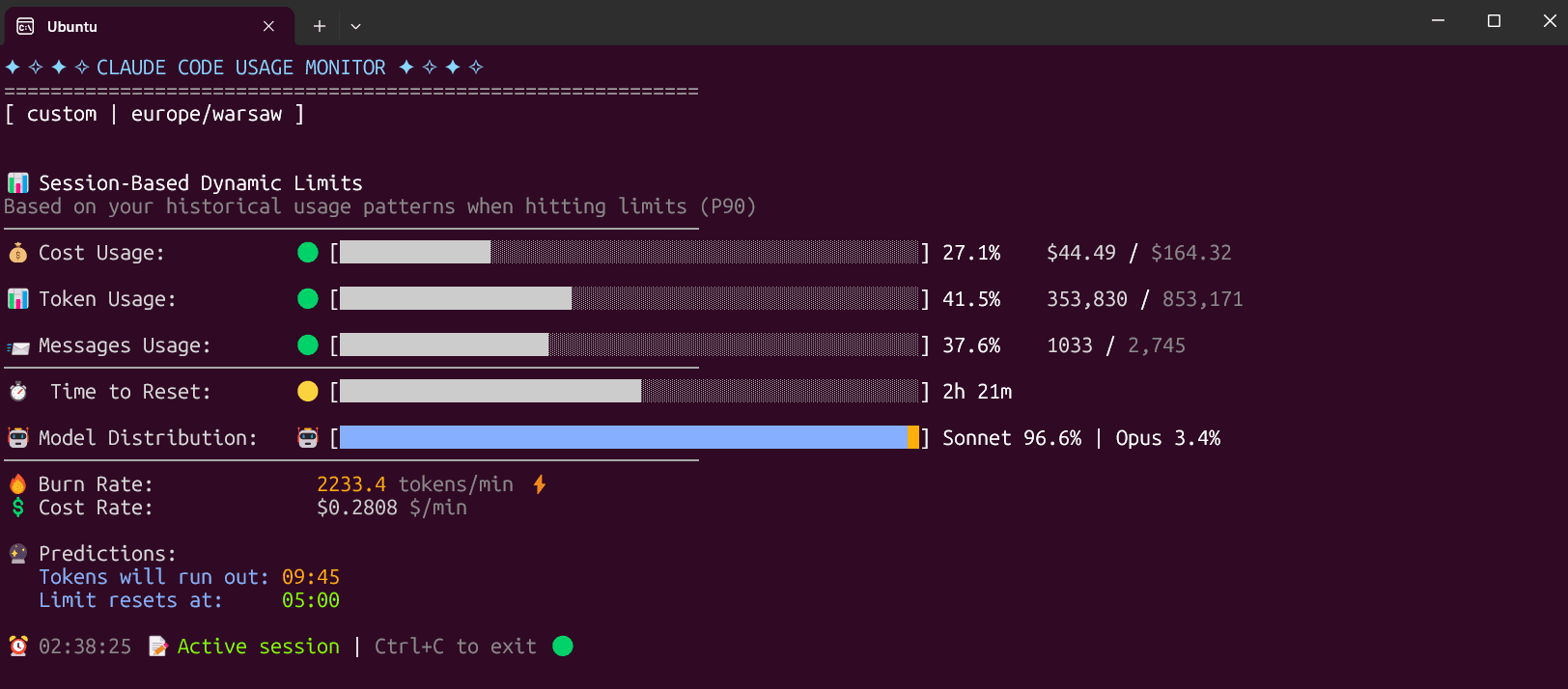
Claude Code Usage Monitor is a terminal tool that reads the usage records Claude Code keeps on your computer. Run one command and it shows live bars for tokens, messages and cost in the current 5-hour session, the time until the limit resets and a forecast of when you will run out. It also has daily and monthly tables and can save its numbers to a file. It suits Claude Code users on a subscription who keep running into usage limits.
It predicts when your session limit will run out from your own recent usage, so you can pace a long task instead of being cut off halfway.
Start with the first one: it is a small task you can check easily.
Example prompts written by Agent Flows Hub.
From the creator's documentation.
| Feature | What it does | Runs |
|---|---|---|
| Live session bars | Tokens, messages and cost used in the current 5-hour session, refreshed as you work | Your computer |
| Forecast | When your tokens are likely to run out and when the limit resets | Your computer |
| Plan presets | Pro, Max5 and Max20 presets, or limits worked out from your own recent sessions | Your computer |
| Daily and monthly views | Tables of token usage per day or per month | Your computer |
| Export | Writes a snapshot as JSON or a state file for status bars, and CSV reports from an opt-in local history | Writes files |
Keep an eye on a Claude Code subscription session while you work. The monitor reads local usage records, shows how much of the current 5-hour window is used and forecasts when the limit will be reached.
Notes by Agent Flows Hub (original project name: Claude-Code-Usage-Monitor (claude-monitor)), written from the creator's documentation, not from running it ourselves. Claude Code Usage Monitor: README and installation
Tell us what happened. We take a look first; if it needs paid work, you get an estimate before anything starts.
Shows context use, usage limits and what Claude Code is doing in a bar under your input
by Jarrod Watts

Shows how much of your AI coding limits you have left, right in the Mac menu bar
by Peter Steinberger

Shows every step Claude Code took in a session, with the files, edits and tokens behind it
by matt