
ccusage
Shows how many tokens your coding agents used and what that would cost, day by day
by ryoppippi



by AgentSealCLI toolWrite code
Shows what your AI coding tools cost, split by project, model and task
Your AI coding bill came in higher than last month, and it shows one total with no hint of which project or model ran it up.
For People paying for AI coding toolsDevelopers on API billingTeams watching plan limits
From the project's own repository · 3 images, swipe or use the arrows.
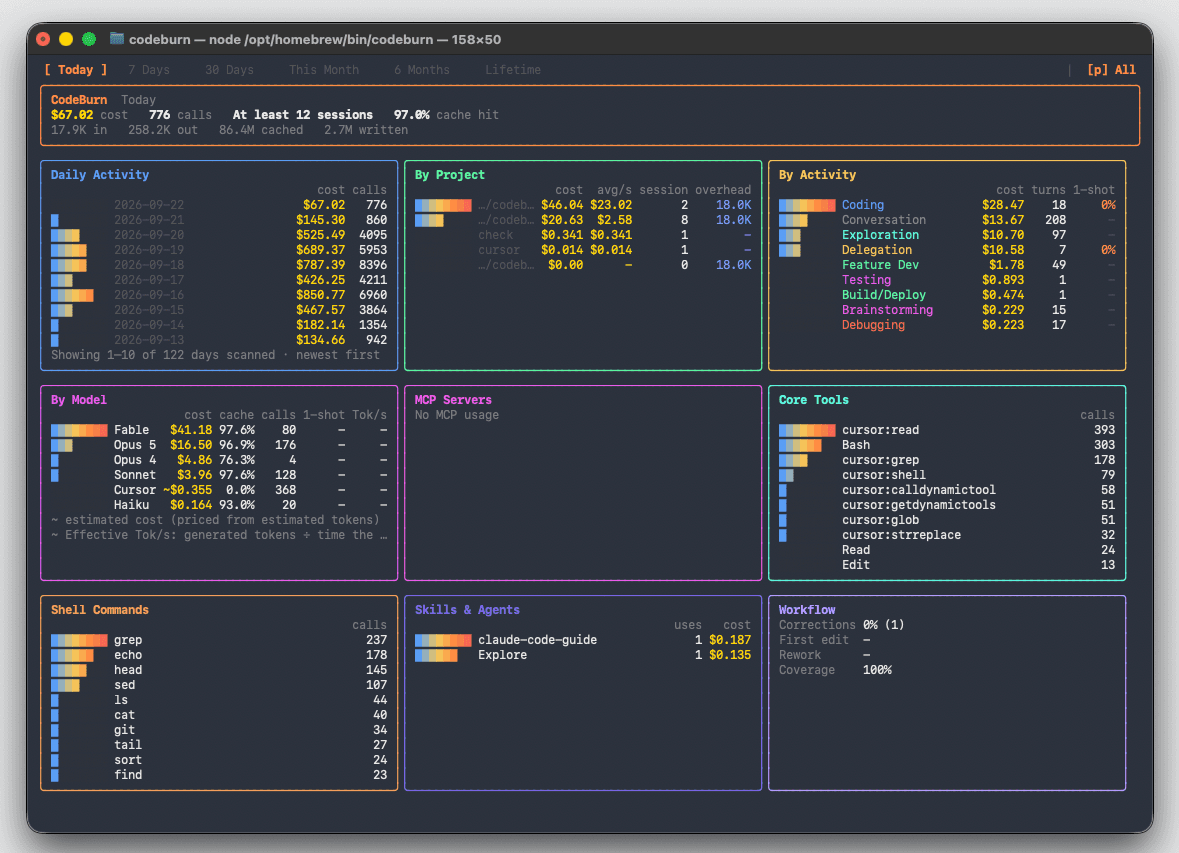
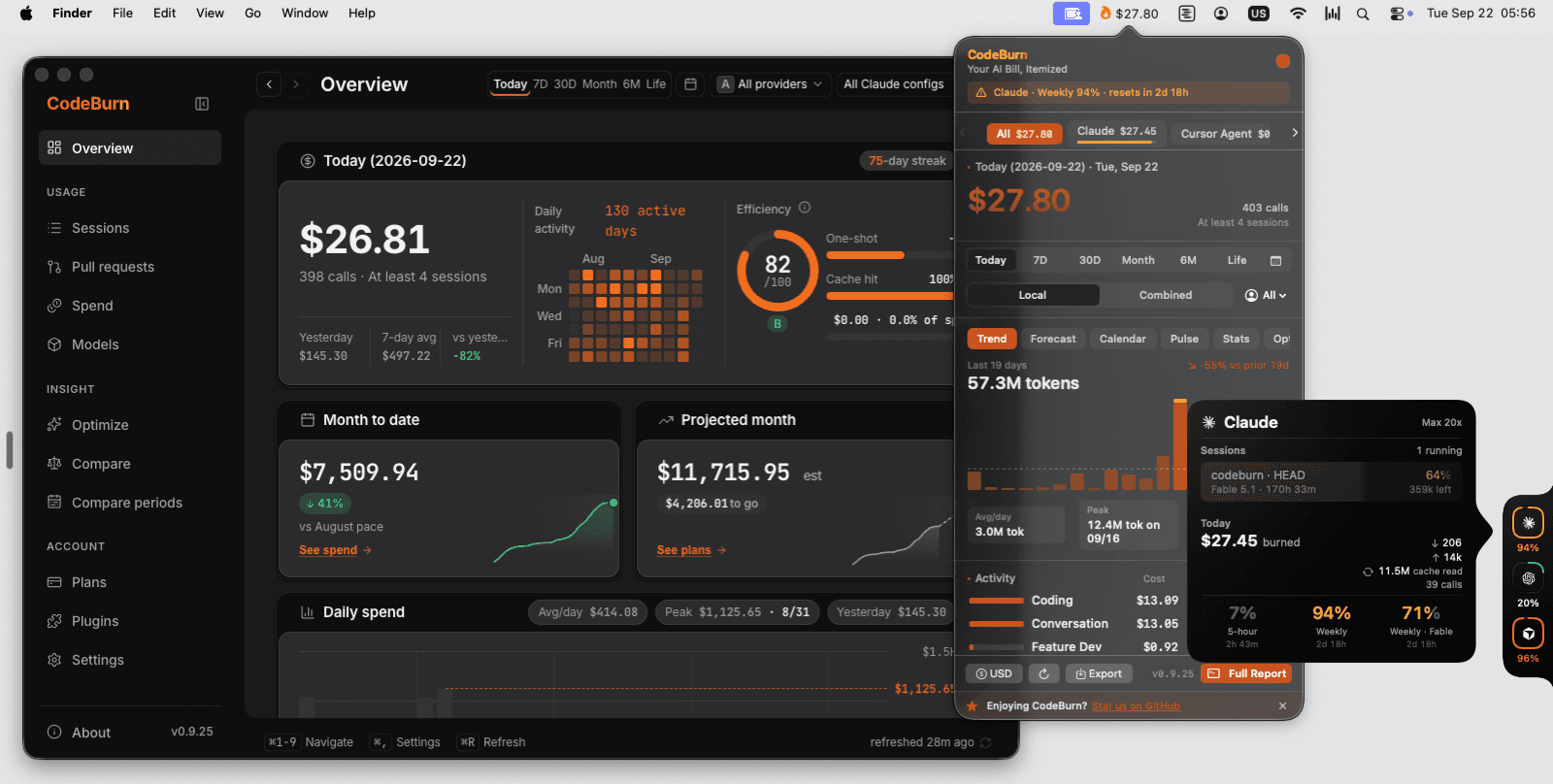
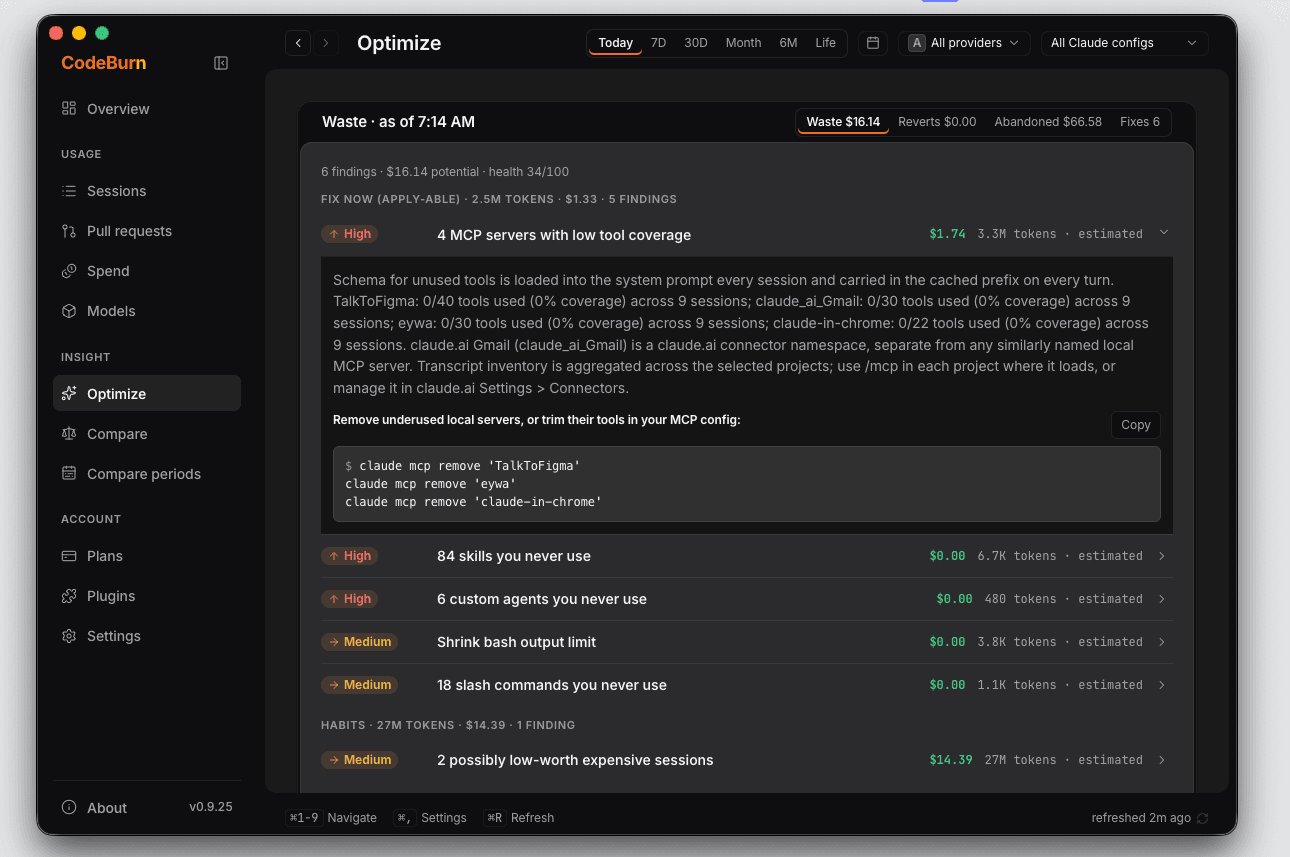
CodeBurn reads the session files that coding agents such as Claude Code, Codex and Cursor already keep on your computer and works out what each session cost. Run one command and you get a dashboard of spend by tool, model, project and task, from today back to your whole history. It also lists setup habits that use tokens without need, and comes as a desktop app and menu bar view too. It suits anyone who pays for AI coding tools and wants to see where the money goes.
It needs no account or API key: it reads files already on your disk, and its Optimize report names what to change to spend less.
Start with the first one: it is a small task you can check easily.
Example prompts written by Agent Flows Hub.
From the creator's documentation.
| Feature | What it does | Runs |
|---|---|---|
| Spend dashboard | Cost by tool, model, project and task, from today back to your whole history | Your computer |
| Many coding tools | Detects Claude Code, Codex, Cursor, Gemini CLI, OpenCode and dozens more on its own | Your computer |
| Optimize | Lists unused MCP servers, skills and other setup that costs tokens; can apply and undo fixes | Your config files |
| Plans and quota | Shows how much of your subscription is used and whether the month will run over | Your signed-in tools |
| Desktop and menu bar | The same numbers in a desktop app, menu bar or tray, and a browser view | Your computer |
| Price list | Model prices download once a day; costs are estimates | Internet |
See where the money for AI coding sessions went, broken down by tool, model, project and task. The report reads local session files, so you can compare periods or check a change without signing in anywhere.
Notes by Agent Flows Hub (original project name: codeburn), written from the creator's documentation, not from running it ourselves. CodeBurn: README and install options · CodeBurn documentation
Tell us what happened. We take a look first; if it needs paid work, you get an estimate before anything starts.