Skip to content

CLI toolFreeIntermediate

ccusage

Shows how many tokens your coding agents used and what that would cost, day by day
View original on GitHub

Install request

Your browser blocked copying. Select the text and copy it yourself.

Paste this into your AI agent (Claude Code, Codex or similar). It asks the agent to read the files and wait for your OK before installing.

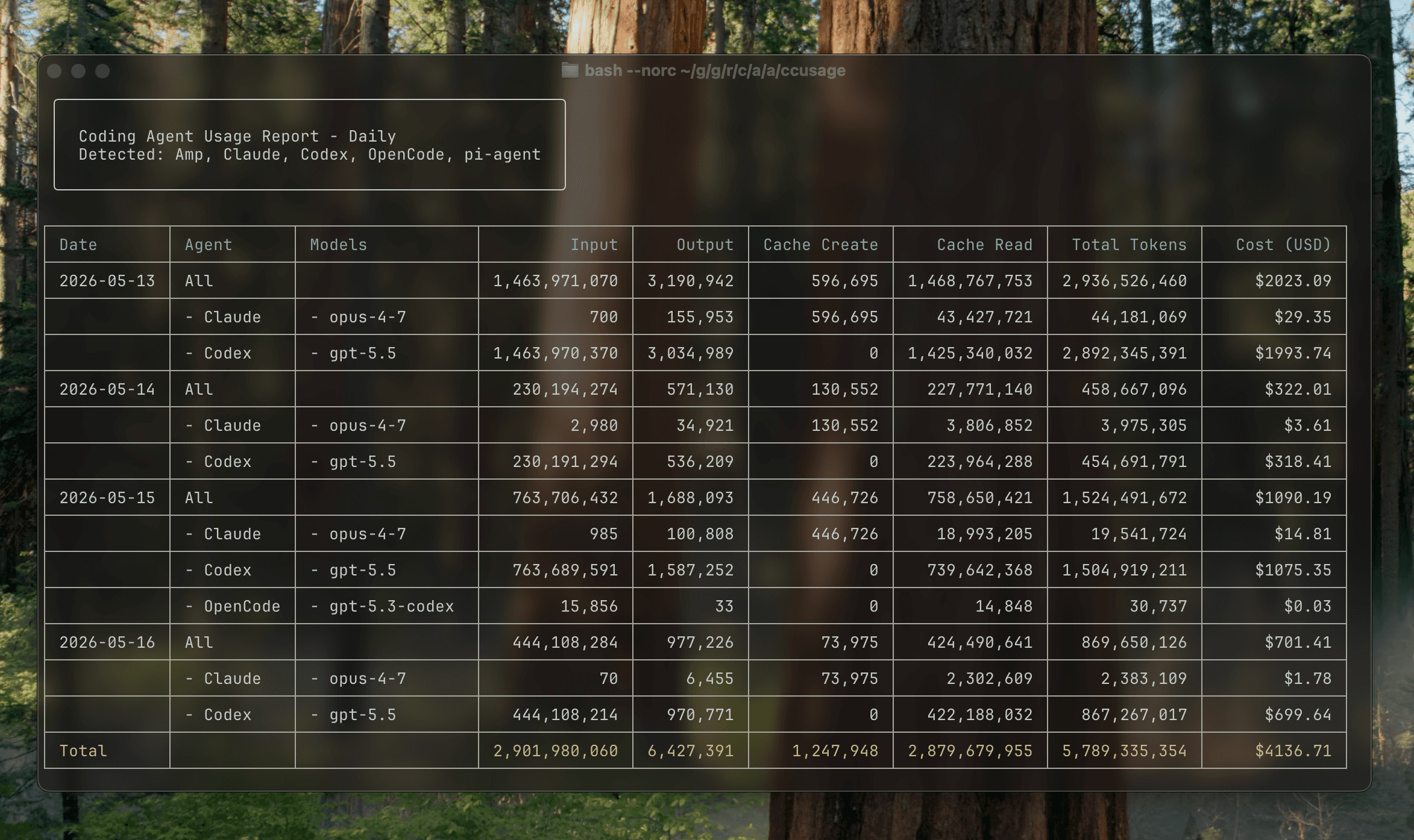
A ccusage daily report in a terminal, listing tokens and cost per day for Claude, Codex and OpenCode
Image: ryoppippi (MIT). Original file

What it does

ccusage is a command-line tool that reads the usage logs coding agents keep on your computer and turns them into reports. Run one command and it shows tokens and estimated cost in US dollars by day, week, month or session, for Claude Code, Codex, OpenCode, Gemini CLI, goose and many more. It can also watch Claude Code's 5-hour usage windows live. It suits anyone who uses AI coding agents and wants to see where their usage goes.

It reads the data already on your computer, so you see usage across many coding agents in one table without signing in anywhere.

Before you start

  • A computer with macOS, Windows or Linux.
  • Node.js or Bun on your computer
  • A coding agent, such as Claude Code or Codex, already used on the same computer
  • Free. Nothing to pay.

How to start

  1. Install itPaste the install request into an AI agent you already use, or run the official command yourself or follow the official guide.macOS, Windows, Linuxnpx ccusage@latest

    Install command

    Your browser blocked copying. Select the text and copy it yourself.

    This is the official install command, copied from the creator's instructions. Paste it where the instructions say.

    macOS, Windows, Linuxbunx ccusage

    Install command

    Your browser blocked copying. Select the text and copy it yourself.

    This is the official install command, copied from the creator's instructions. Paste it where the instructions say.

    macOS, Windows, Linuxnpm install -g ccusage

    Install command

    Your browser blocked copying. Select the text and copy it yourself.

    This is the official install command, copied from the creator's instructions. Paste it where the instructions say.

  2. Set it upFollow the first-run steps in the official guide.
  3. Give it a first taskDescribe what you want in your own words, and check the first result before relying on it.

Steps follow the creator's instructions.

Stuck setting it up?

Tell us what happened. We confirm scope and price before any paid work.

Get help
View original

Install request

Your browser blocked copying. Select the text and copy it yourself.

Paste this into your AI agent (Claude Code, Codex or similar). It asks the agent to read the files and wait for your OK before installing.