
DeepSeek Harness
Run an AI agent on your computer that edits project files and runs commands
by DeepSeek



by chimneyCLI toolWrite code
Gives DeepSeek Harness a full-screen terminal interface with live status, diffs and todos
dsh-TUI is a full-screen terminal interface for DeepSeek Harness. It shows the conversation, live work status, file diffs and a todo panel in one window.
For Terminal usersDeepSeek Harness users
dsh-TUI is published on GitHub and npm by the developer chimney (ccch1mneyyy) under the MIT licence. It builds on the public exports of DeepSeek Harness.
dsh-TUI is a full-screen terminal interface for DeepSeek Harness. It shows streaming thinking, live work status, file diffs, a todo panel, a context progress bar and a speed gauge, and lets you rewind a session with a double Esc. A first-run guide walks you through accounts, models, language and shortcuts. It suits people who already talk to an AI agent in a terminal and want a clearer view of what it is doing.
It adds a first-run guide, a one-click Windows installer and a pixel-whale pet to a terminal agent.
Start with the first one: it is a small task you can check easily.
Example prompts written by Agent Flows Hub.
From the creator's documentation.
| Feature | What it does | Runs |
|---|---|---|
| Live status | Shows what the agent is doing, with streaming thinking | Your terminal |
| Diff cards | Shows file additions and deletions as side-by-side or one-sided diffs | Your terminal |
| Todo panel | A side panel that keeps the history of goals and todos | Your terminal |
| Time rewind | Press Esc twice to rewind the session | Your terminal |
| Context and speed | A context progress bar and a tokens-per-second gauge | Your terminal |
| Model access | Needs a DeepSeek API key or a supported account; requests go to the API address you configure | DeepSeek API |
You use DeepSeek Harness in a terminal and want to see its work, changes and todo list in one window. dsh-TUI starts with a landing page and a first-run guide, then shows each task as it runs.
Notes by Agent Flows Hub (original project name: dsh-TUI), written from the creator's documentation, not from running it ourselves. dsh-TUI README · dsh-TUI getting started
Tell us what happened. We take a look first; if it needs paid work, you get an estimate before anything starts.
Run an AI agent on your computer that edits project files and runs commands
by DeepSeek
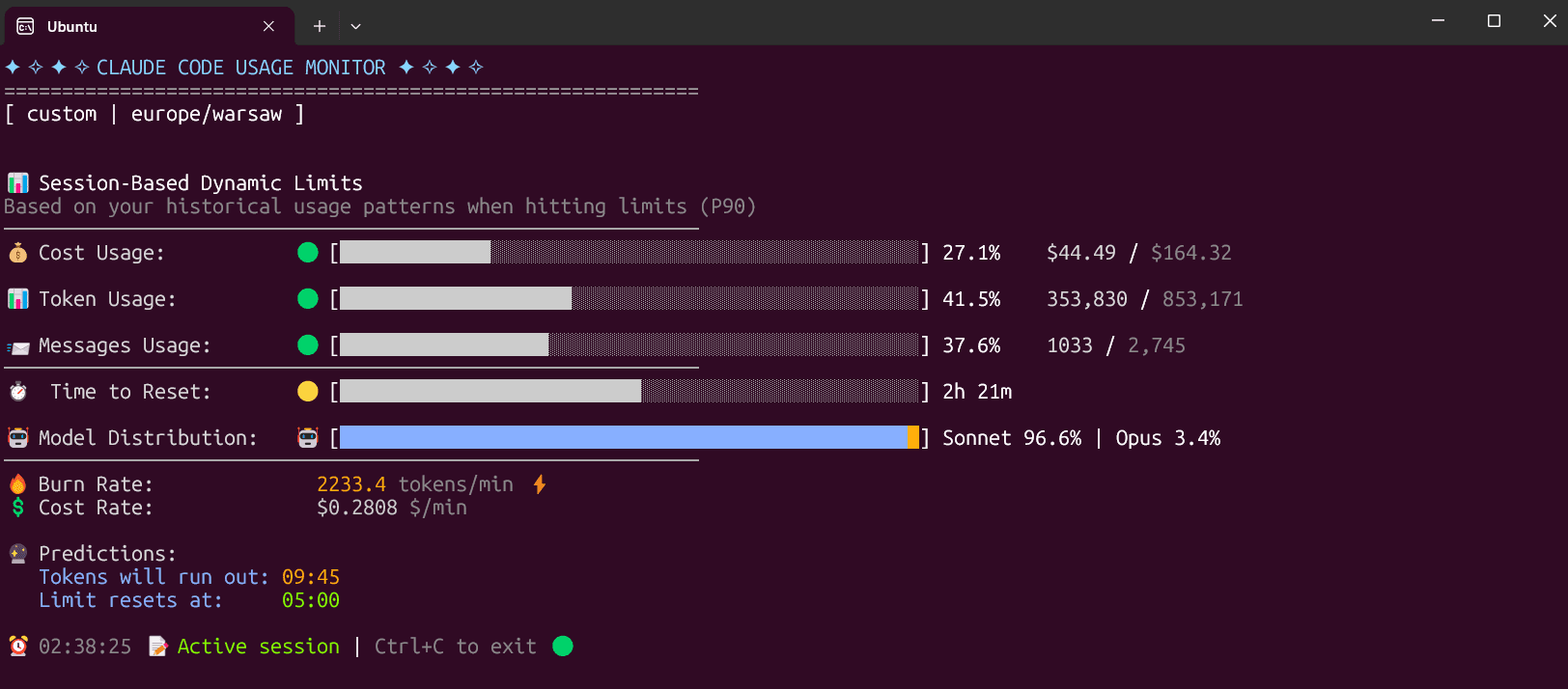
Shows your Claude Code usage live in the terminal and warns you before you hit a limit
by Maciej
Tells you in one screen whether your AI agent finished the job and what it needs from you
by Pavlo Kharmanskyi