Web Search Summarizer (Dify)
Searches the web for your question and returns a table that summarises each page
by LangGenius



by ChatGPTBox-devAppResearch something
Adds an AI chat box to any web page to summarise, translate or rewrite what you read
An open-source browser extension that adds an AI chat box to any web page. Open it with a shortcut or right-click to summarise the page, or select text to translate, polish or explain it, using the AI service you set up.
For Heavy readers and researchersStudentsPeople reading in a second language
ChatGPTBox-dev is a GitHub organisation that publishes the ChatGPTBox browser extension as free, open-source software.
From the project's own repository · 2 images, swipe or use the arrows.
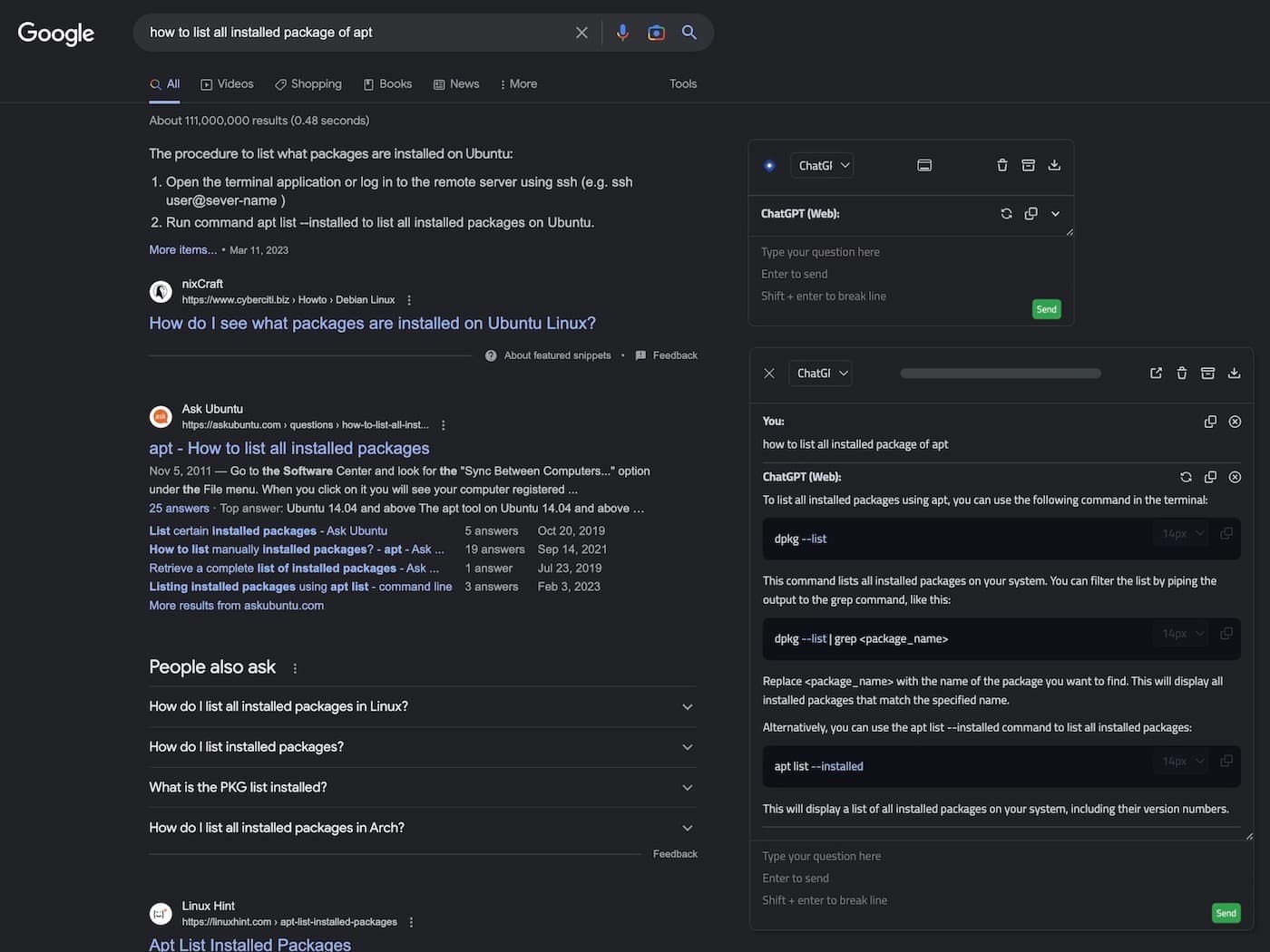
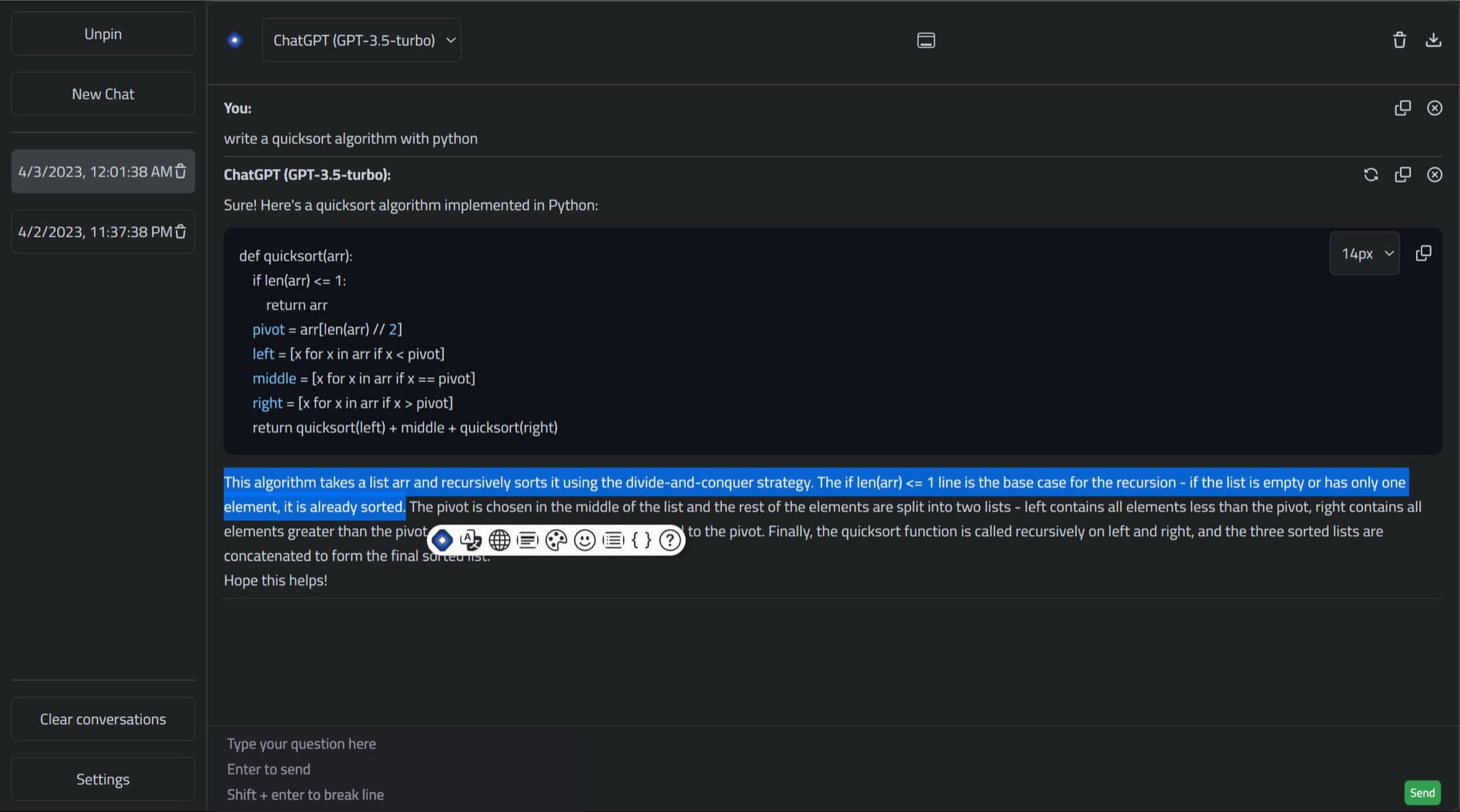
ChatGPTBox is an open-source browser extension that puts an AI chat box on any web page. You open it with a shortcut or the right-click menu to summarise the page, or select text to translate, polish or explain it, and answers also appear beside search results and on sites such as YouTube, Reddit and GitHub. It connects to ChatGPT, Claude, Azure, Moonshot, self-hosted and other models you set up. It suits anyone who reads a lot online and wants quick summaries without copying text into another app.
It brings AI into the pages you already read, with right-click and selection tools, and lets you choose which AI service it calls.
Start with the first one: it is a small task you can check easily.
Example prompts written by Agent Flows Hub.
From the creator's documentation.
| Feature | What it does | Runs |
|---|---|---|
| Page chat box | Open a chat box on any page with Ctrl+B | Pages you open |
| Page summary | Summarise the page you are on from the right-click menu | Your AI service |
| Selection tools | Translate, summarise, polish or explain the text you select | Your AI service |
| Site integrations | Answers beside search results and on sites like YouTube, Reddit and GitHub | Your AI service |
| Conversation page | A full-page chat view where you can save or copy chat records | Your browser |
| Model choice | ChatGPT web login or API keys for ChatGPT, Claude, Azure, Moonshot and self-hosted models | Your AI service |
Summarise a long article or video page without leaving it. ChatGPTBox adds a chat box and right-click tools to the page, and sends the text to the AI service you set up when you use a feature.
Notes by Agent Flows Hub (original project name: ChatGPTBox), written from the creator's documentation, not from running it ourselves. ChatGPTBox README: install links and features · ChatGPTBox guide
Tell us what happened. We take a look first; if it needs paid work, you get an estimate before anything starts.
Searches the web for your question and returns a table that summarises each page
by LangGenius

Lets you chat with your PDFs, videos and web pages, take notes and turn them into podcasts
by Luis Novo

Lets your AI agent search the web and read pages as clean text, without an account
by Exa