Deep Research Agent (Langflow)
Answers a research question with a written report from three AI agents that search the web
by Langflow



by U14 AppAppResearch something
Turns a research question into a written report with sources in a few minutes
You need a solid overview of a topic by tomorrow, and all you have is twenty open browser tabs and no notes.
For Students and researchersPeople preparing reports
From the project's own repository.
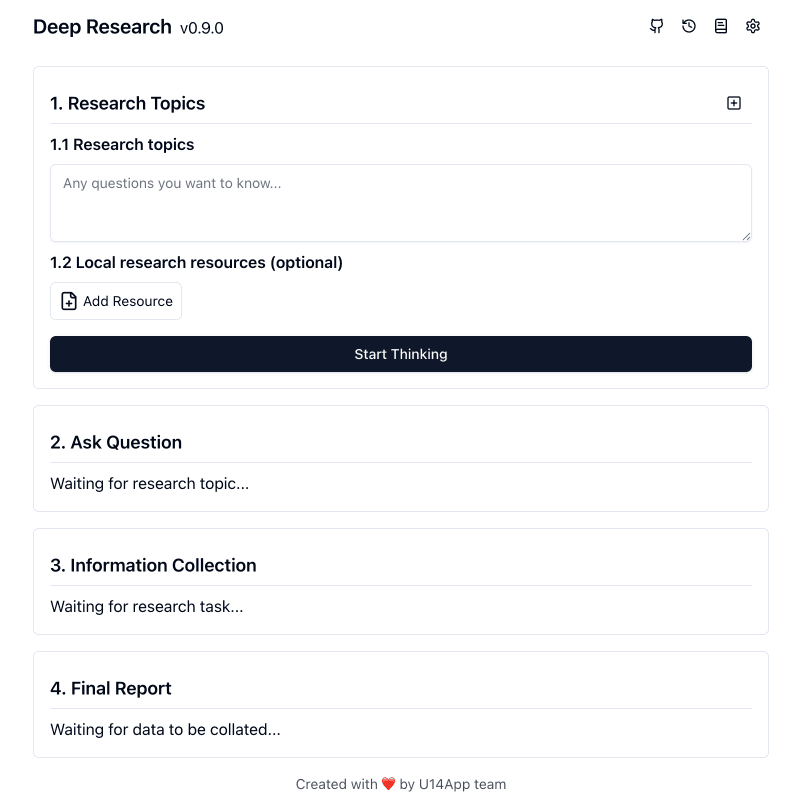
Deep Research is an open-source web app from U14 App that writes a research report on a topic you give it. It asks follow-up questions, searches the web through your chosen AI model or a search service, and puts the findings into a report you can edit, translate and turn into a knowledge graph. You can use the hosted version in your browser with your own API key, or deploy your own copy to Vercel, Cloudflare or Docker; research history stays in your browser. It suits students, analysts and anyone who needs a quick first overview of a topic.
It works with many model providers, including a free Gemini API key, and keeps your research history in your own browser rather than on a server.
Start with the first one: it is a small task you can check easily.
Example prompts written by Agent Flows Hub.
From the creator's documentation.
| Feature | What it does | Runs |
|---|---|---|
| Follow-up questions | Asks you questions about the topic before it starts collecting information | Your AI provider |
| Web search | Uses the model's own search or services such as Tavily, Exa or SearXNG | Search service |
| Report editor | Edit the report, change its reading level or length, or translate it | Your AI provider |
| Knowledge graph | Turns a finished report into a knowledge graph in one click | Your AI provider |
| Local files | Add text, Office or PDF files as a local knowledge base for the research | Your browser |
| History | Keeps past research in your browser so you can reopen it and research again | Your browser |
Give it a topic, answer its clarifying questions, and let it search and write a structured report with citation links. You can then edit the report, change its reading level or length, and ask for more research on one part.
Notes by Agent Flows Hub (original project name: deep-research), written from the creator's documentation, not from running it ourselves. Deep Research README: getting started and deployment
Tell us what happened. We take a look first; if it needs paid work, you get an estimate before anything starts.
Answers a research question with a written report from three AI agents that search the web
by Langflow

Researches a question across the web, papers and your own files and writes a cited report
by LearningCircuit

Answers your questions with sources you can check, and writes longer research reports
by Perplexity