VoiceStudio
Clones voices, dubs videos and reads text aloud on your own computer
by Palash Debnath


by Drew ThomassonAppMake video or audio
Turns an e-book into an audiobook file with chapters, read aloud by AI voices
The book you want to read has no audiobook, and you only have time to listen on your commute.
For Audiobook listenersAuthors and self-publishersLanguage learners
From the project's own repository · 3 images, swipe or use the arrows.
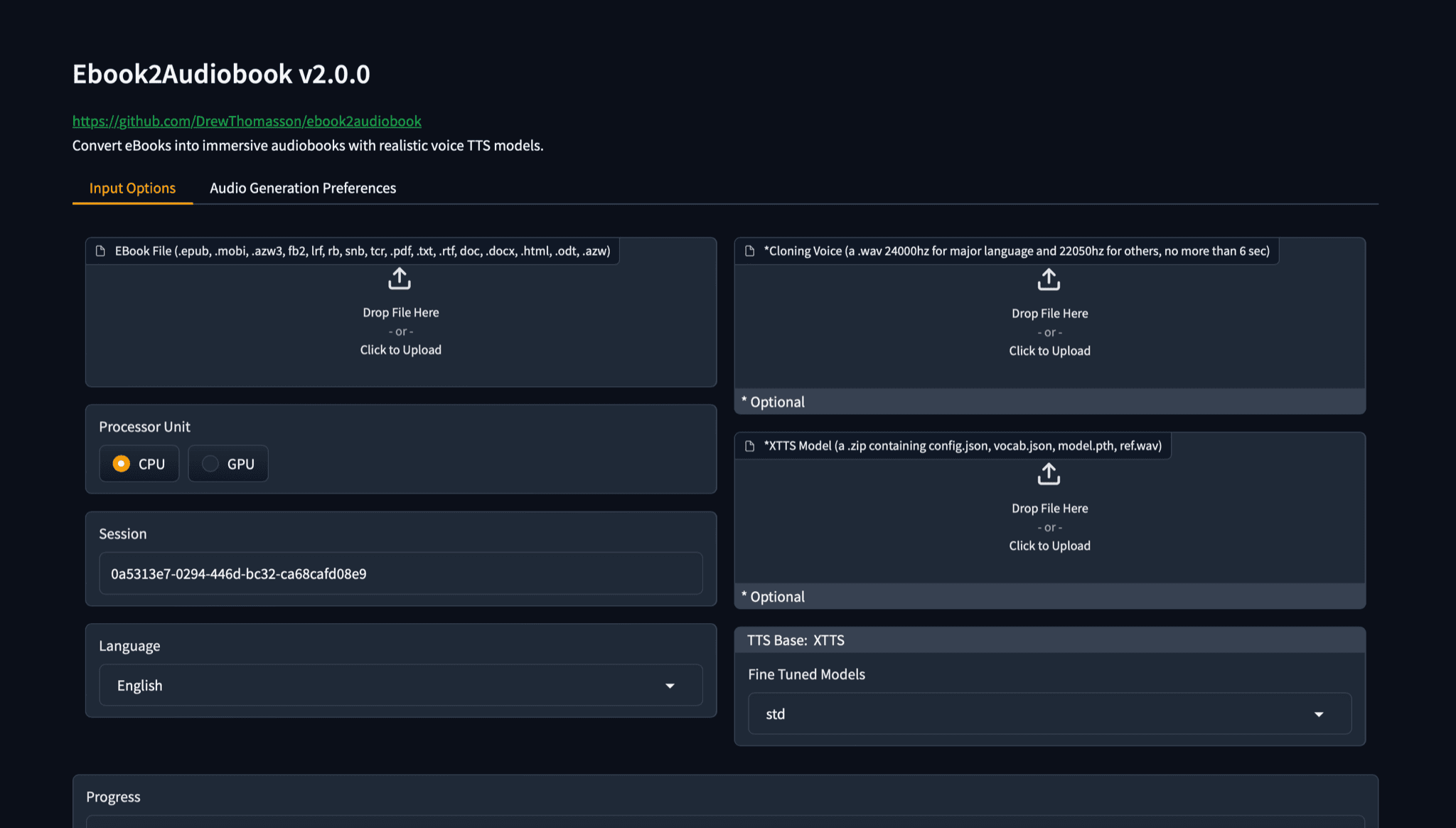
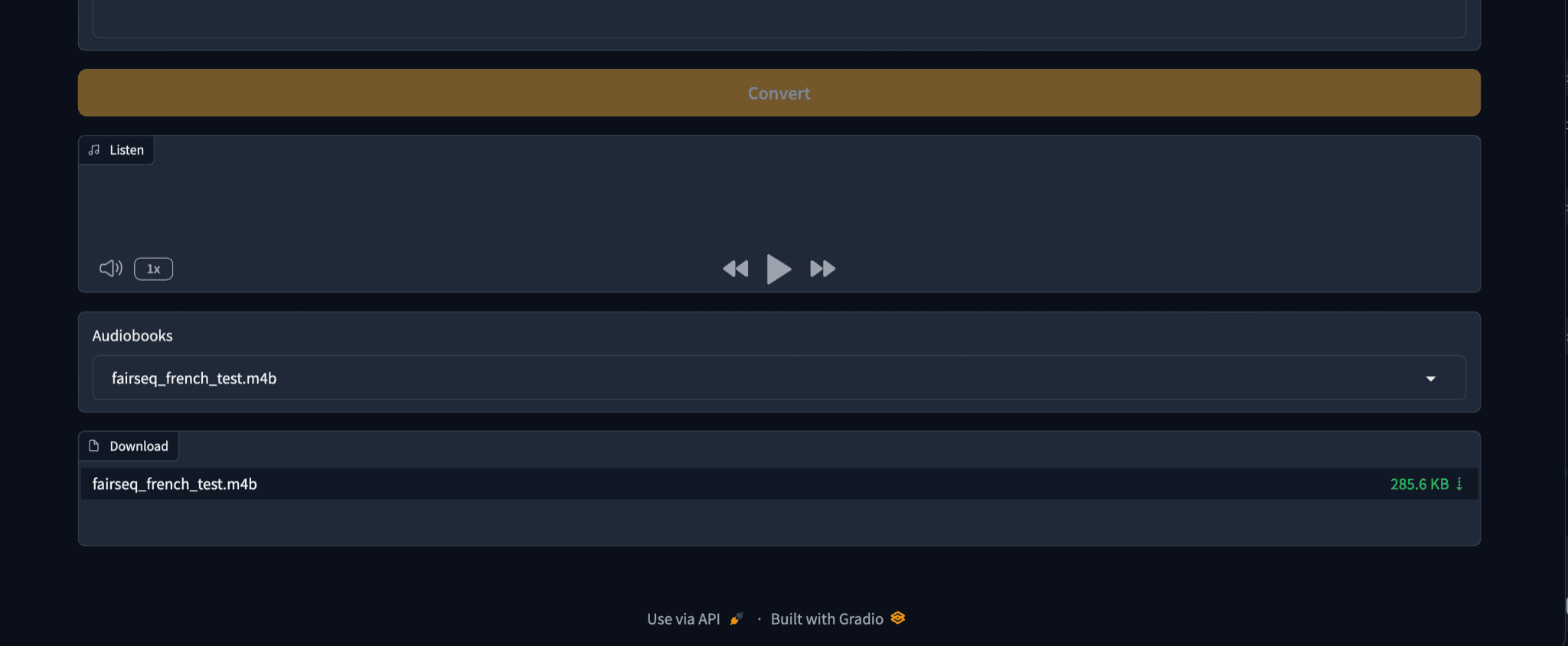
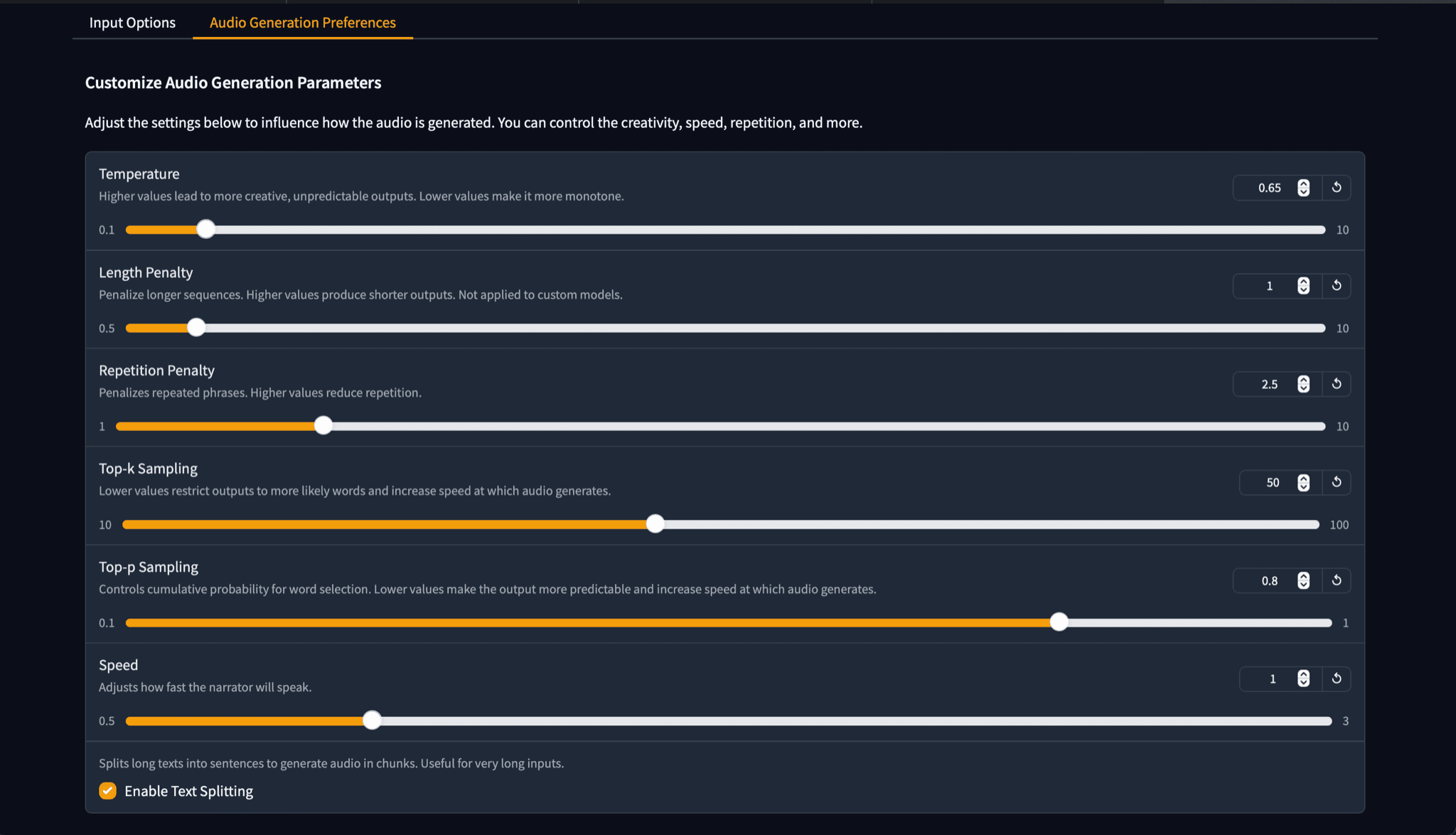
ebook2audiobook is an open source app that converts e-books into audiobooks on your own computer. You drop an EPUB, MOBI, PDF or another supported file into its browser window, choose a language and voice, and get an audio file such as M4B or MP3 with chapters and book details. You can also clone a voice from a short sample of your own, and it reads scanned pages with text recognition. It suits listeners and creators who own DRM-free books.
It runs on your own computer with voice models for more than 1,000 languages, and keeps the book's chapters in the finished audiobook.
Start with the first one: it is a small task you can check easily.
Example prompts written by Agent Flows Hub.
From the creator's documentation.
| Feature | What it does | Runs |
|---|---|---|
| E-book import | Reads EPUB, MOBI, PDF, TXT, DOCX, HTML and many other e-book formats | Your computer |
| Voices and languages | Several voice engines, more than 1,000 languages and fine-tuned preset models | Your computer |
| Voice cloning | Reads the book in a voice from a short audio sample you upload | Your computer |
| Chapters and formats | Saves M4B, MP3, FLAC, WAV and other formats with chapters and book details | Your computer |
| Scanned pages | Recognises text on pages that are images before reading them aloud | Your computer |
| Hosted demo | An online version on Hugging Face Spaces runs on a basic CPU, so conversions are slower | Hugging Face |
You own a DRM-free e-book and want to listen to it as an audiobook. You upload the file in the app's browser window, pick a language and voice, and download an audio file with chapters.
Notes by Agent Flows Hub (original project name: ebook2audiobook), written from the creator's documentation, not from running it ourselves. ebook2audiobook: README and instructions · ebook2audiobook on Hugging Face Spaces
Tell us what happened. We take a look first; if it needs paid work, you get an estimate before anything starts.
Clones voices, dubs videos and reads text aloud on your own computer
by Palash Debnath
Translates a video into another language with new subtitles and an AI voice-over
by jianchang512
Lets you edit video on your computer, with auto-captions, voices and background removal
by Jareer A.