Spreadsheet Builder
Builds Excel spreadsheets with working formulas, or cleans up the ones you have
by Anthropic



by NetEase YoudaoAgentMake visuals
Works through office tasks on your desktop, from spreadsheet analysis to slides and docs
LobsterAI is a desktop agent for Mac and Windows: pick a folder, describe an office job in plain words, and it reads files, edits Word, Excel and PowerPoint files and browses the web, showing the result in a side panel.
For Office workers and analystsFinance, sales and HR teamsPeople who work from chat apps
NetEase Youdao is a learning-focused company in the NetEase group that builds AI education products such as the Youdao Dictionary app and dictionary pens. It listed on the NYSE in 2019.
From the project's own repository · 4 images, swipe or use the arrows.
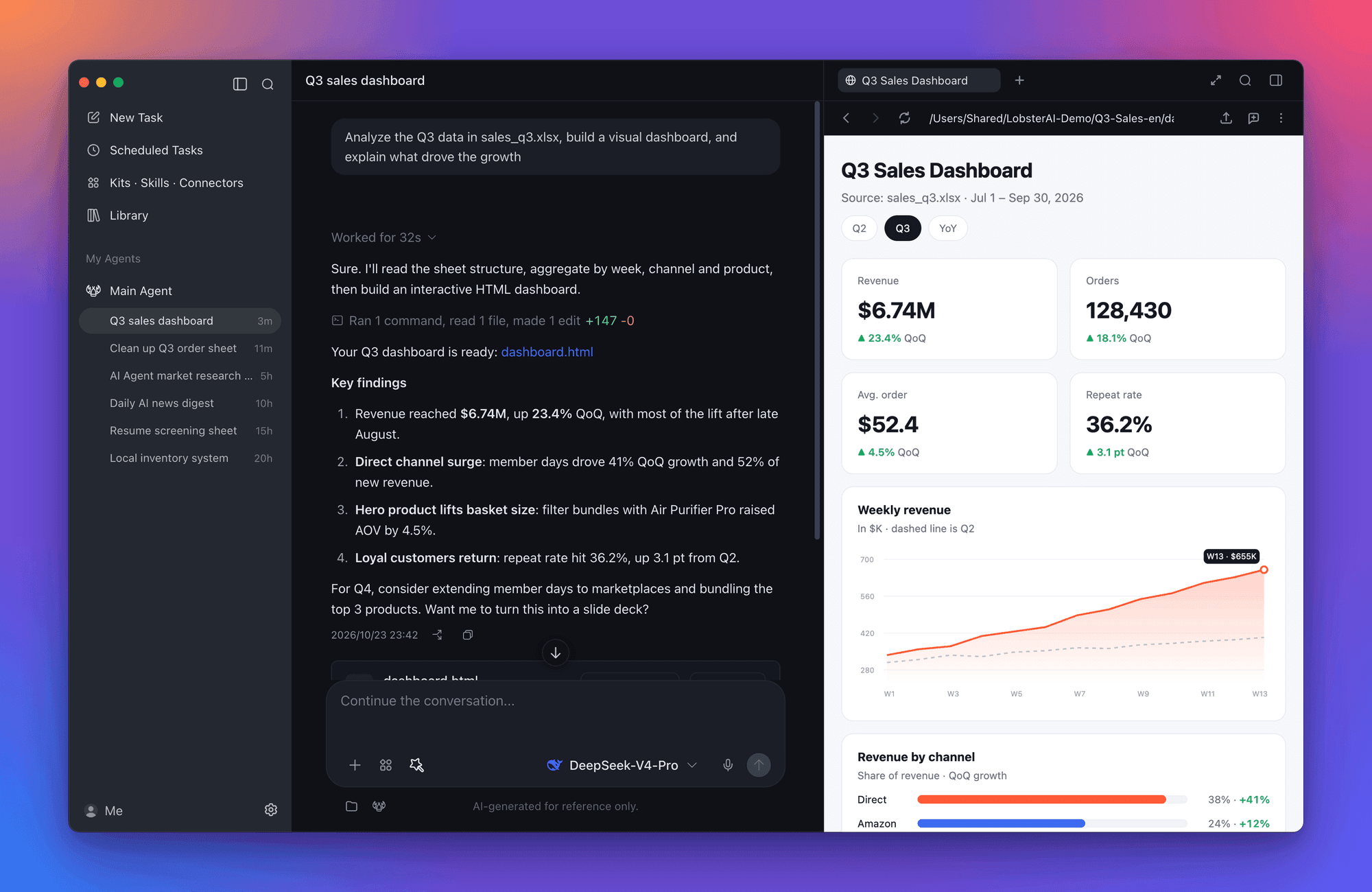
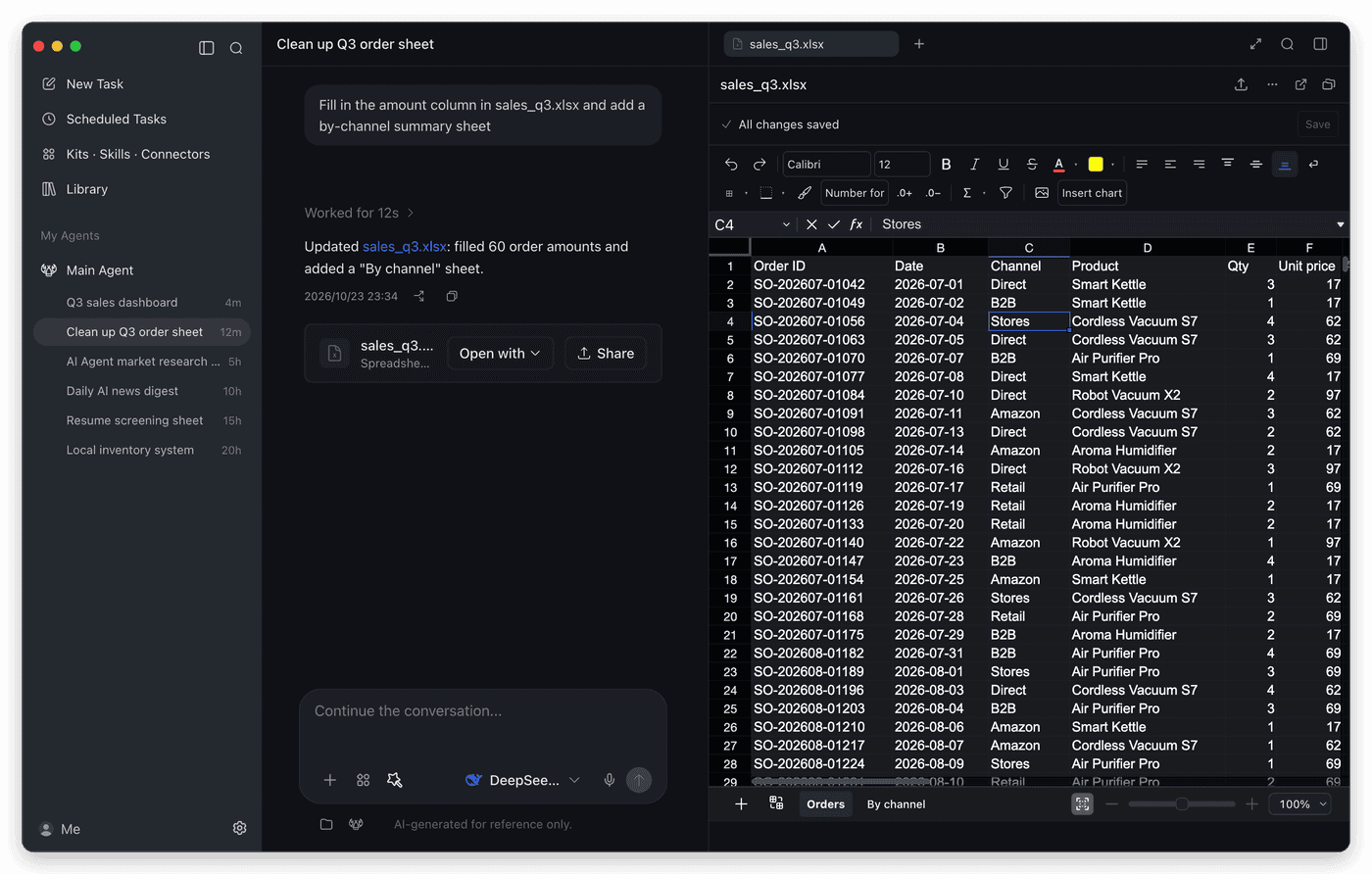
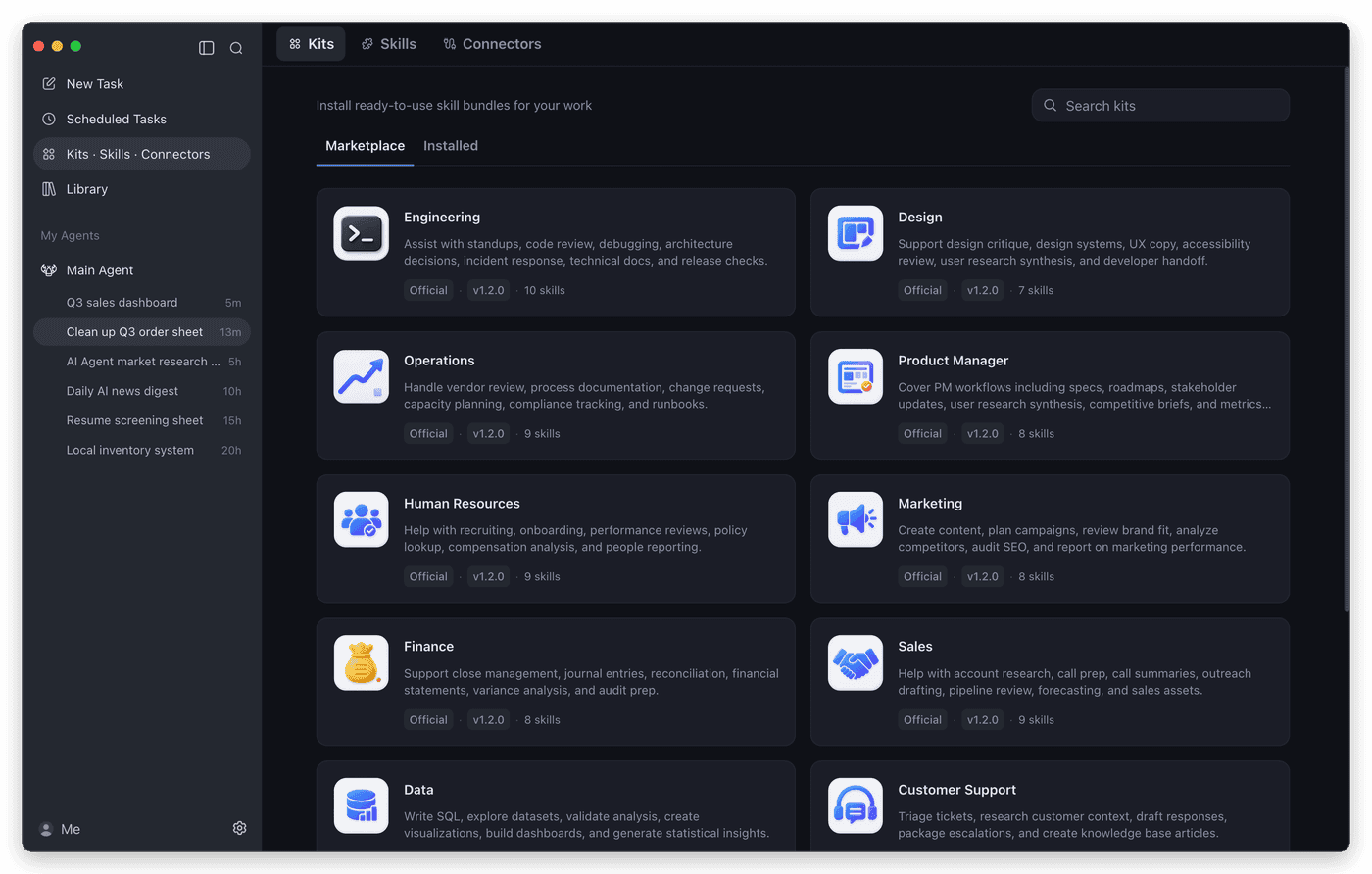
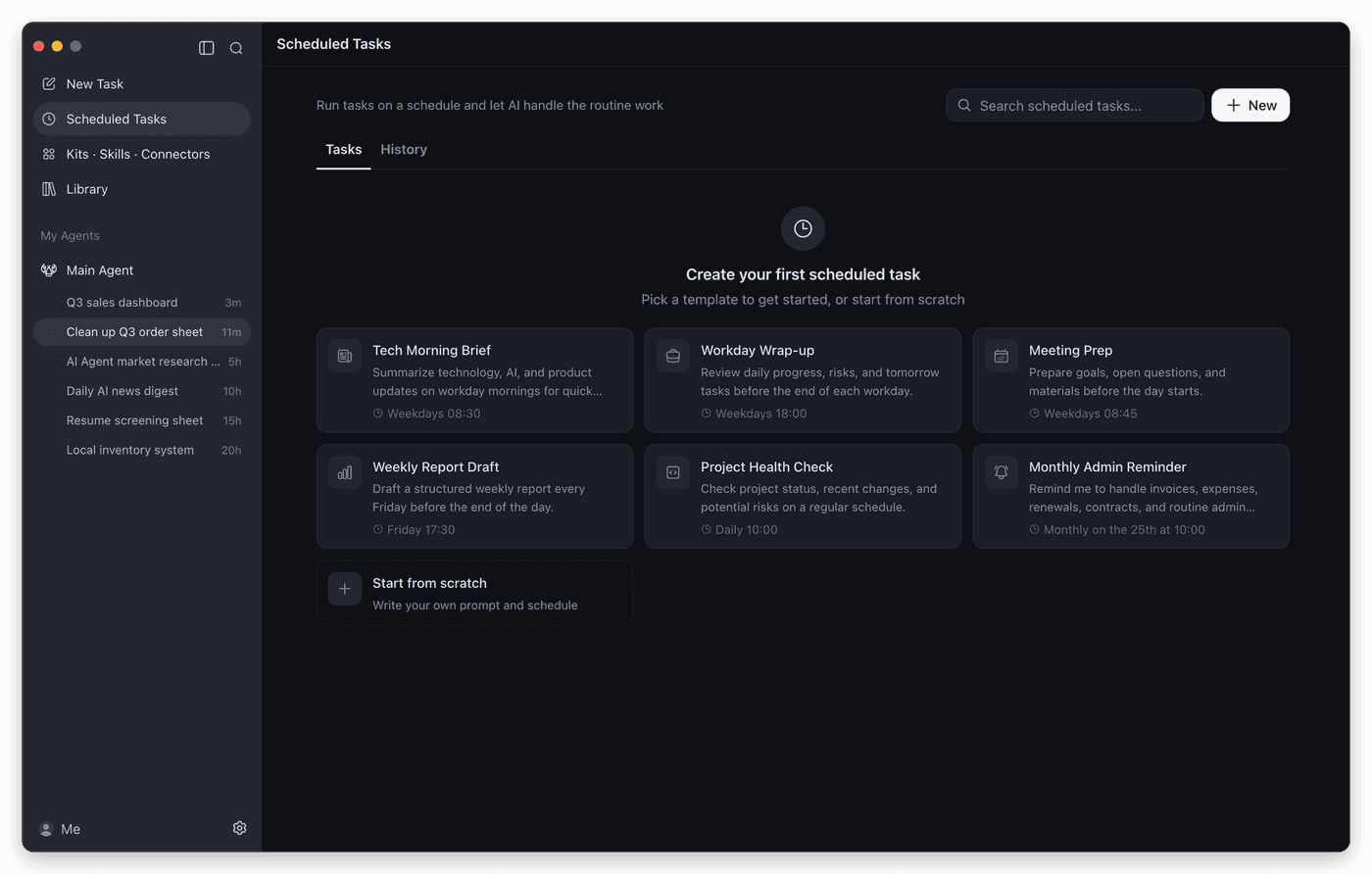
LobsterAI is NetEase Youdao's open-source desktop agent for macOS and Windows. You pick a working folder and describe a task in plain words; it reads files, runs tools, drives a built-in browser and edits Word, Excel and PowerPoint files, then opens the result in a side panel. It can run tasks on a schedule and take requests from chat apps such as WeChat, Feishu, DingTalk and Telegram. It suits office workers, analysts and small teams who want finished files rather than chat replies.
It hands back real files you can open and edit inside the app, and asks before file, shell or network actions.
Start with the first one: it is a small task you can check easily.
Example prompts written by Agent Flows Hub.
From the creator's documentation.
| Feature | What it does | Runs |
|---|---|---|
| Office editing | Opens Word, Excel and PowerPoint files in the app; you or the agent can edit them | Your files |
| Cowork sessions | Long tasks on a folder, with approval prompts before file, shell or network actions | Your computer |
| Built-in browser | A browser the agent can drive for research and web tasks | The web |
| Scheduled tasks | Turns a prompt into a recurring job, such as a morning brief or weekly report | Your computer |
| Chat app control | Send it tasks from WeChat, Feishu, DingTalk, Telegram, Discord, email and more | Chat apps |
| Models | Built-in models after sign-in, or your own keys for OpenAI, Anthropic, Gemini and others | Model service |
You have a folder of spreadsheets or documents and want a finished file, not just advice. LobsterAI works in that folder, asks before sensitive steps and opens the result in the app for you to check.
Notes by Agent Flows Hub (original project name: LobsterAI), written from the creator's documentation, not from running it ourselves. LobsterAI README · LobsterAI download page
Tell us what happened. We take a look first; if it needs paid work, you get an estimate before anything starts.
Builds Excel spreadsheets with working formulas, or cleans up the ones you have
by Anthropic

Analyses your stock watchlist every day and sends you an AI-written report
by ZhuLinsen

Lets your AI agent create and edit Word, Excel and PowerPoint files without Office
by iOfficeAI