
Article to Slide Deck
Turns an article into a set of slide images, merged into PowerPoint and PDF files
by Jim Liu


by Comfy OrgWorkflowMake visuals
Re-creates one picture from a new camera angle you set with a 3D camera control
An official ComfyUI app template that shows one picture from a new camera angle. Load an image, drag a 3D camera control to the angle and distance you want, and it generates the scene as seen from there.
For Storyboard and concept artistsGame and product designers
Comfy Org builds ComfyUI, the open-source engine for visual AI, and the desktop, cloud and API products around it. This template is from its official workflow templates collection.
From the project's own repository · 2 images, swipe or use the arrows.
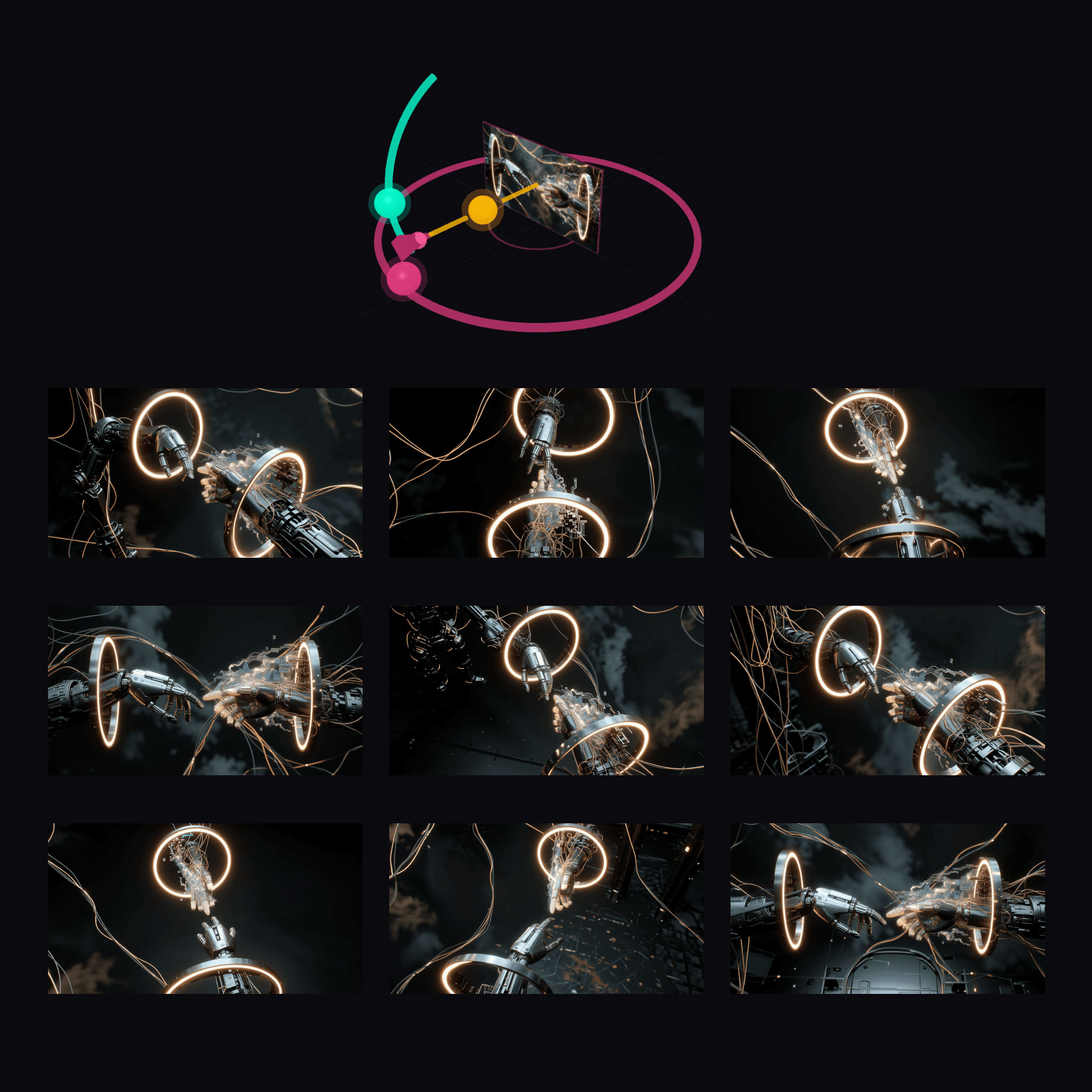

This is an official ComfyUI app template that shows your picture from a different viewpoint. You load one image, drag a 3D camera control to the angle and distance you want, and it generates the scene as seen from there, using Qwen-Image-Edit-2511 with a multiple-angles add-on. It opens as a simple app screen with one input picture, the camera control and the result, so you do not have to work with nodes. It suits storyboard artists, game and product designers who need more shots of the same scene.
A visual 3D camera control replaces writing angle descriptions, and the app screen hides the node graph.
Start with the first one: it is a small task you can check easily.
Example prompts written by Agent Flows Hub.
From the creator's documentation.
| Step | What happens | Data goes to |
|---|---|---|
| 1 · Model files | ComfyUI lists the edit model, text encoder, VAE and two LoRA add-ons, about 29 GB | Your computer |
| 2 · Picture | You load one image on the app screen | Your computer |
| 3 · Camera | You set the viewpoint on a 3D camera control | Your computer |
| 4 · New view | Qwen-Image-Edit-2511 with a multiple-angles LoRA re-creates the scene from that angle | Your computer |
| 5 · Save | ComfyUI saves the new picture | Your computer |
Generate a new viewpoint of an input image by setting the camera angle on a 3D control. The app template feeds the image and camera setting to Qwen-Image-Edit-2511 with a multiple-angles LoRA and saves the result.
Notes by Agent Flows Hub (original project name: template_qwen_multiangle.app (ComfyUI app template)), written from the creator's documentation, not from running it ourselves. Generate Multiple Angles: pinned ComfyUI app template · ComfyUI App Mode guide
Tell us what happened. We take a look first; if it needs paid work, you get an estimate before anything starts.
Turns an article into a set of slide images, merged into PowerPoint and PDF files
by Jim Liu

Turns a single picture of an object into a textured 3D model on your own computer
by Comfy Org
Lets Claude create, read and edit Word files, including tracked changes and comments
by Anthropic