
Lemo-Opuscar
Turns your topic into a short animated film in one of 66 ready-made visual styles
by Lemomo


by ChasePluginMake video or audio
Makes short animated explainer videos in one of seven drawing styles, rendered to MP4
Animate is a Claude Code plugin that makes short animated explainer videos from a topic. You pick one of seven drawing styles or match your references, check the storyboard, and get an MP4 in the shape you choose.
For Content creatorsTeachers and explainersProduct teams
An open-source project by developer Chase (cth9191 on GitHub), made for Claude Code.
From the project's own repository · 2 images, swipe or use the arrows.
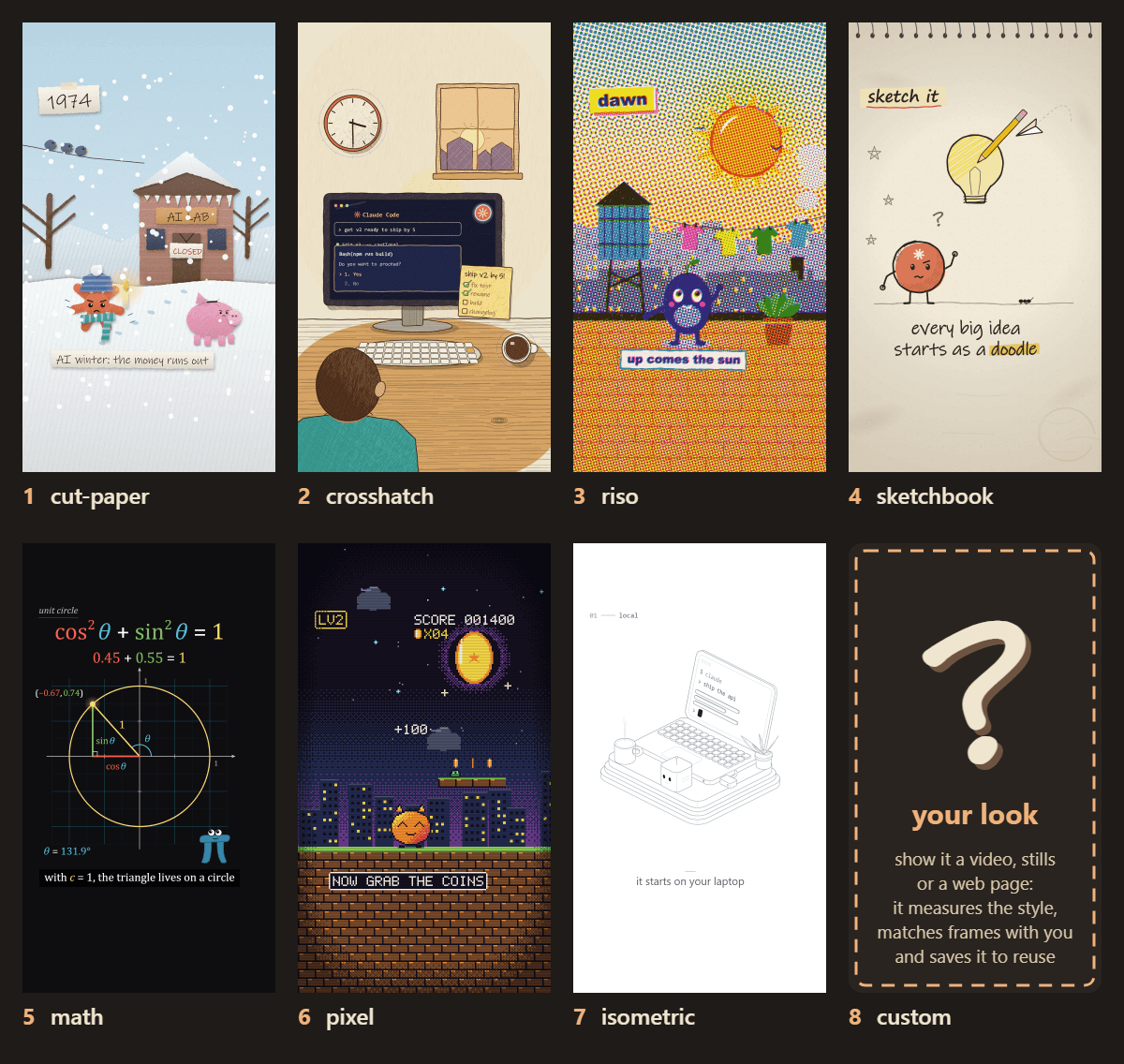
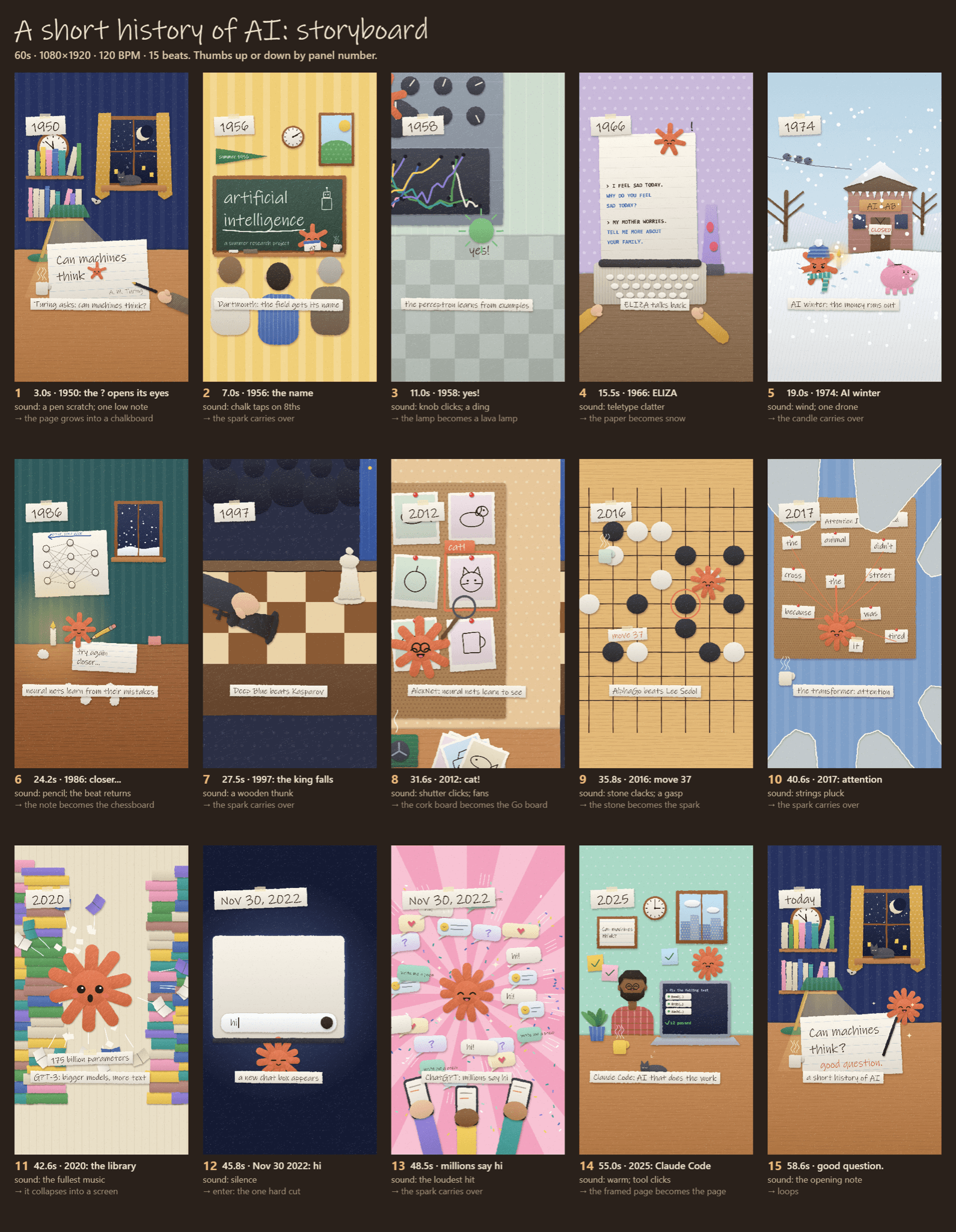
Animate is a Claude Code plugin that turns a topic into a short animated video drawn entirely in code. You describe what the video is about and pick a style such as cut paper, riso print, pixel art or a math explainer, or give it your own references to match. It checks the story, the look and a storyboard with you before animating, then renders an MP4 in the shapes you ask for, from vertical to widescreen. It suits creators, teachers and product teams who want short explainers without animation software.
You sign off on the story, a few sample frames and a full storyboard before it spends time animating, so a wrong idea is caught early.
Start with the first one: it is a small task you can check easily.
Example prompts written by Agent Flows Hub.
From the creator's documentation.
| Output | What it is | Reads |
|---|---|---|
| Seven styles | Cut paper, crosshatch ink, riso print, sketchbook, math, pixel and isometric | Your computer |
| Your own look | Matches a new style from your reference video, stills or web page and saves it for later pieces | Your computer |
| Check-ins | Story, look and storyboard sign-offs before any animating | Your computer |
| Every format | 9:16, 1:1, 4:5 and 16:9 versions laid out for each shape, not cropped | Your computer |
| Music and voice | Cuts on the beats of your track; a voice-over from your recording or the ElevenLabs connector | ElevenLabs (optional) |
| Fact checks | Checks on-screen facts with a web search and lists the sources | Web search |
Make a 20 to 60 second explainer, such as a short history or how something works, in one consistent drawn style. The plugin plans the beats, sample frames and a storyboard for your sign-off before it renders the MP4.
Notes by Agent Flows Hub (original project name: animate), written from the creator's documentation, not from running it ourselves. Animate README: install and use · Animate: SKILL.md
Tell us what happened. We take a look first; if it needs paid work, you get an estimate before anything starts.
Turns your topic into a short animated film in one of 66 ready-made visual styles
by Lemomo
Makes explainer videos, animated captions and title cards from your agent
by HeyGen
Makes a character from one picture copy the moves of a person in a video
by Comfy Org