

Say you want a chart of last month's sales. With ChatGPT in a browser tab, you paste in the numbers, get back some code, run it yourself, hit an error, paste the error back, and go round again. With an AI agent, you point it at the spreadsheet, say what you want, and it does that loop on its own: it reads the file, writes the code, runs it, sees the error, fixes it, and saves the chart next to your data.
Chatbot
- 1You ask
- 2It answers in text
- 3You copy, run and fix itand paste the error back
Agent
- 1You give a goal
- 2It plans
- 3It actsfiles, terminal, web
- 4It checks the result
- 5Done, or it asks you
Plan, act, check repeats until the result is right.
Both can run on the same AI model. The agent has permission to open files, run programs, search the web or use other apps, and after each step it looks at what happened before choosing the next one.
What it looks like on screen
Most agents run in a terminal window. You start one inside a folder and type what you want in plain English. Here is Codex CLI working through a request to explain a codebase: it writes itself a short plan, then ticks the steps off.
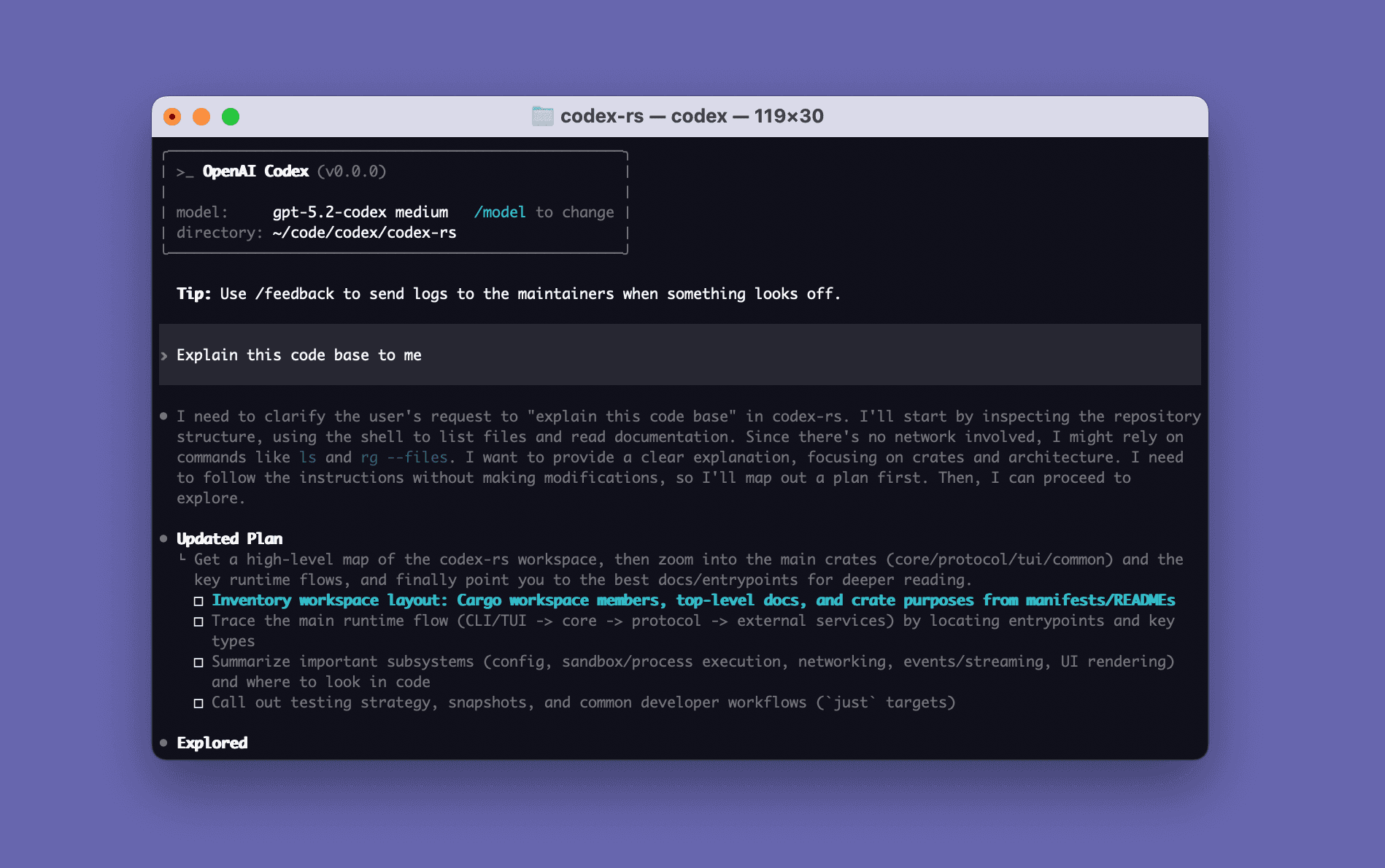
Claude Code, OpenCode and Gemini CLI work the same way. If a terminal puts you off, goose also comes as a desktop app with an ordinary chat window, and it is happy to do jobs that have nothing to do with code. OpenHands Agent Canvas runs agents from a web dashboard and can keep them going on a schedule. You can compare all of them under Agents.
What you need to give it
The model is where the money goes. Usually that means a paid plan from the model's company, such as a Claude or ChatGPT subscription, or an API key that bills you for what you use. A few open-source agents can also run a model on your own computer; it costs nothing but is slower. Every agent's page in the Library lists what it needs under "Before you start".
"Tidy up this folder" leaves the agent guessing. "Move every PDF into a folder called Invoices and tell me what you moved" is something it can finish, and something you can check.
Teaching it new tricks
Out of the box, an agent can read, write and run things on your computer. You can add skills, which teach it a method for one kind of job, and connectors, which let it reach other apps such as your notes or GitHub. Skills, connectors and plugins explains how they differ, and AI workflows, agent workflows and AI agents explains when a fixed workflow is the better tool.
Keeping it in check
An agent that can act can also break things. Most of them ask before running a command or changing a file; leave that switched on until you have watched it work for a while. Start in a folder of copies, read the summary it gives you at the end, and look at the actual files before you rely on them.
Never paste a password or API key into the chat; if the agent needs an account, connect it the way the official setup guide says. And keep an eye on usage, because a long task can burn through a plan's limits or an API budget faster than you would think. Most providers let you set a monthly spending cap.
Ready to try one? Install your first agent. If you get stuck, or want an agent working for your team, tell us about it.