
OpenCode
Lets you hand coding tasks to an open source AI agent that works with many model providers
by Anomaly



Makes a printable report of what your Claude Code use shipped, by project, for a manager
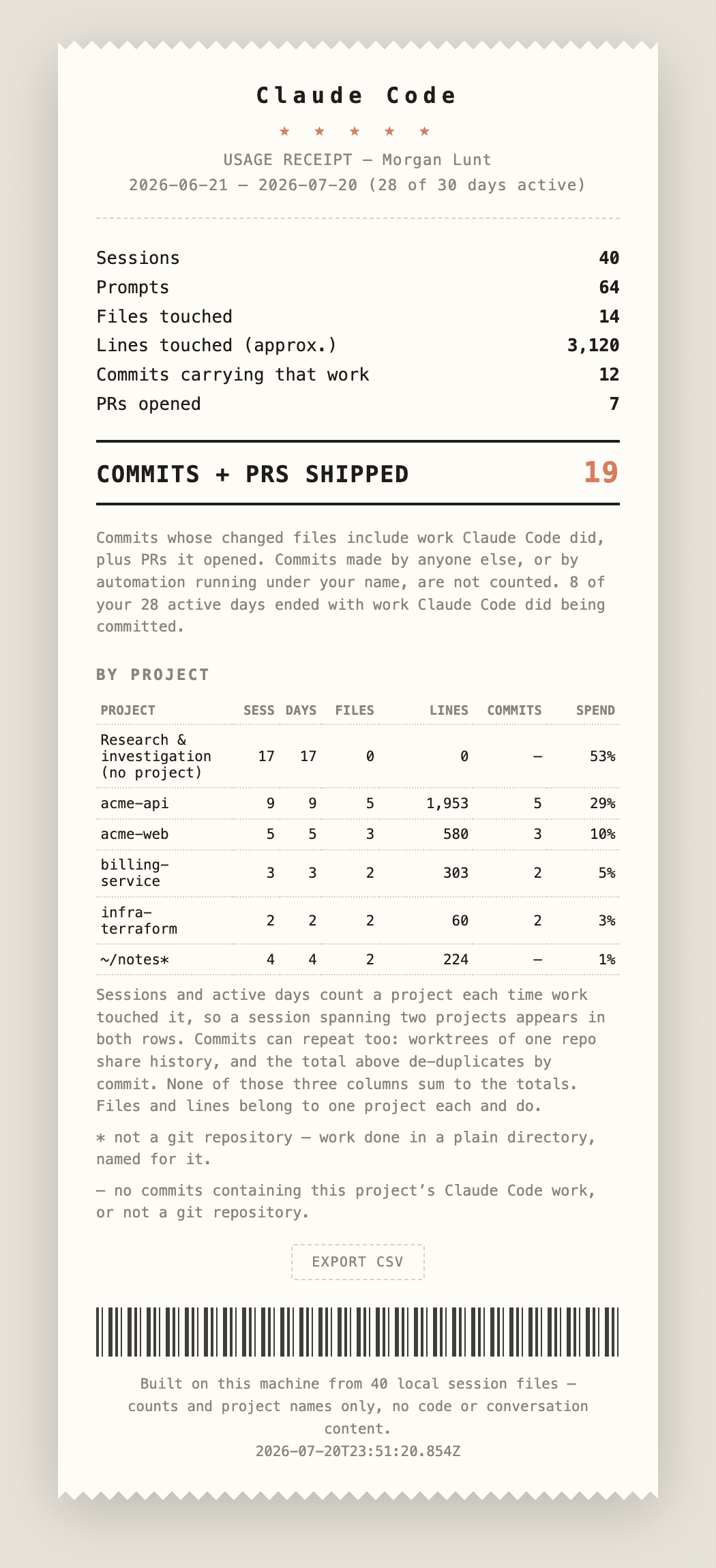
Receipts is Anthropic's plugin that reads your own Claude Code history on your computer and writes an impact report: sessions, files and lines changed, commits and pull requests that carried the work, and each project's share of your usage. You get a Markdown version to paste into a review and an HTML receipt that prints to PDF or exports CSV. It suits people who use Claude Code at work and need to explain what the spend produced.
It leaves out guesses like hours saved or dollar values and reports only counts it can back up, so the page holds up when someone questions it.
/plugin install receipts@claude-plugins-officialSteps follow the creator's instructions.
Tell us what happened. We confirm scope and price before any paid work.
Lets you hand coding tasks to an open source AI agent that works with many model providers
by Anomaly

Runs open AI models on your own computer for private chat and for other apps to use
by Ollama

Lets you hand coding tasks to Anthropic's AI agent in your terminal, editor or desktop app
by Anthropic